
Creative process breakdown: Streamline your workflow with AI
Learn how to break down your creative process into clear stages and use AI tools to streamline your workflow, boost output, and reduce creative burnout.

TL;DR:
- Structured workflows help creators produce consistent, high-quality work and reduce burnout.
- AI tools accelerate each creative stage, enhancing efficiency without replacing creative instincts.
- Clear stages and storytelling frameworks improve visual narrative, audience engagement, and project clarity.
Most creators assume that great work comes from pure inspiration, a spark that either shows up or doesn’t. But that belief quietly kills productivity. When you treat creativity as something that can’t be planned, you end up stalling between ideas, redoing work unnecessarily, and burning out faster than you should. The reality is that structured workflows help creative professionals produce consistent results, not by limiting creative freedom, but by giving it a reliable foundation. This breakdown covers the key stages of the creative process, how AI tools fit into each one, and how to build a workflow that actually holds up across projects.
Table of Contents
- What is the creative process? Key stages explained
- How AI tools empower creators: Practical solutions
- Visual storytelling in the creative process: Frameworks and best practices
- Action steps: Streamlining your creative project workflow
- Our take: Why structure and AI matter more than ever for creators
- Ready to elevate your creative workflow?
- Frequently asked questions
Key Takeaways
| Point | Details |
|---|---|
| Structure boosts creativity | Organizing your process leads to higher output and less stress. |
| AI accelerates workflows | Integrating AI tools streamlines ideation, creation, and editing stages. |
| Visual storytelling matters | Applying frameworks and AI enhancements makes your content more engaging. |
| Practical steps drive improvement | Follow structured, AI-powered workflows for measurable results each project. |
What is the creative process? Key stages explained
The creative process is the sequence of steps you move through to take an idea from concept to finished output. It sounds simple, but most creators skip or rush stages, which leads to rework, inconsistency, and missed opportunities. Understanding what each stage demands makes it easier to allocate time, energy, and tools correctly.
Here’s a clear breakdown of the five core stages:
| Stage | What happens | Common pitfall |
|---|---|---|
| Ideation | Generating and capturing raw ideas | Jumping to execution too fast |
| Research | Gathering references, context, and audience insight | Skipping this entirely |
| Creation | Producing the actual content or assets | Working without a clear direction |
| Editing | Reviewing, refining, and improving output | Treating first drafts as final |
| Finalization | Preparing and packaging for release | Rushing the last 10% |
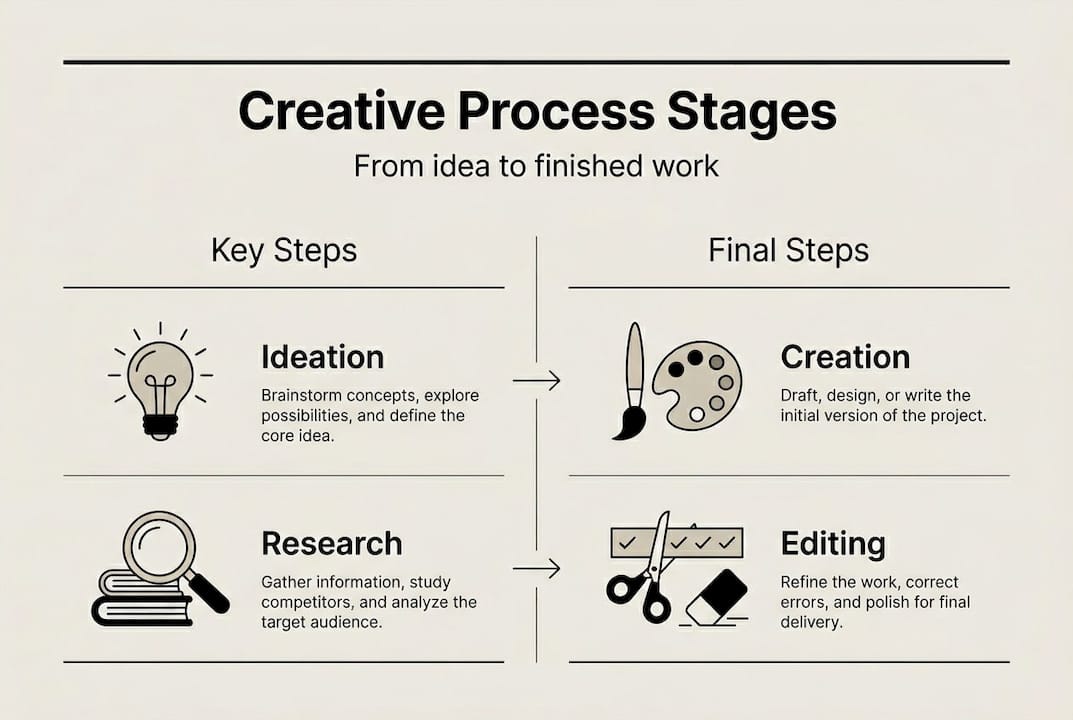
A digital content workflow that maps these stages clearly gives you something to return to when a project feels stuck. It also makes collaboration easier, since everyone on a team knows what phase they’re in and what’s expected.
Structuring your process delivers real benefits:
- Clarity: You always know what the next step is, which reduces decision fatigue.
- Consistency: Repeatable stages mean repeatable quality, even across different project types.
- Reduced stress: When tasks are defined, the mental load drops significantly.
- Better output: Reviewing your work at a dedicated editing stage catches problems that rushed creators miss.
Two of the most common mistakes creators make are skipping the research stage and treating the editing stage as optional. Research grounds your work in audience reality. Editing is where good work becomes great. Cutting either one to save time almost always costs more time later.
How AI tools empower creators: Practical solutions
Understanding the stages is essential. Here’s how AI can transform your workflow at each phase.
AI-powered solutions accelerate content creation and enhance output quality, but the real value comes from knowing where to apply them. AI isn’t a replacement for your creative instincts. It’s a collaborator that handles repetitive or time-consuming tasks so you can focus on what only you can do.
Here’s how manual and AI-enhanced workflows compare at each stage:
| Stage | Manual approach | AI-enhanced approach |
|---|---|---|
| Ideation | Brainstorming alone, slow and inconsistent | AI generates prompts, mood references, and concept variants |
| Research | Hours of manual searching and saving | AI curates references and organizes inputs by theme |
| Creation | Building every asset from scratch | AI generates draft visuals, copy, and audio in minutes |
| Editing | Manual review with no smart suggestions | AI flags inconsistencies and suggests refinements |
| Finalization | Manual formatting and export | AI packages assets into ready-to-use creative packs |
Here’s a practical step-by-step for integrating AI into your workflow:
- Start with a creative brief. Define the mood, style, and goal before opening any tool. AI works best when it has clear direction.
- Use AI at ideation. Feed your brief into an AI platform to generate concept variants, visual references, or caption options. Treat these as starting points, not final answers.
- Let AI accelerate creation. Use generation tools for draft visuals, storyboards, or promotional assets. Iterate quickly across multiple versions.
- Apply AI during editing. Use smart review features to check consistency across assets, especially for campaigns with multiple outputs.
- Export with structure. Use AI-powered platforms that package your work into organized, publish-ready creative packs.
For creators building a creative workflow for YouTube or other content channels, this integration dramatically cuts production time without sacrificing quality.

Pro Tip: Use AI to generate three to five variants of any asset early in the creation stage. Choosing between real options is faster and more productive than staring at a blank canvas.
Visual storytelling in the creative process: Frameworks and best practices
Once your workflow is enhanced by AI, focusing on visual storytelling amplifies your creative impact.
Visual storytelling is how you communicate meaning through images, sequences, and design choices. It’s not just about making things look good. It’s about making sure your audience understands and feels what you intend. Narrative techniques and storytelling frameworks improve creative outcomes for visual artists by giving structure to what might otherwise be an intuitive, hit-or-miss process.
Three frameworks that consistently work:
- Storyline mapping: Before you create a single visual, map out the emotional arc of your project. What does the audience feel at the start? What shift happens in the middle? What’s the payoff at the end? This prevents visuals from feeling disconnected.
- Mood boards: Collect visual references that represent the tone, palette, and energy of your project. A mood board acts as a filter. If a new asset doesn’t match the board, it probably doesn’t belong in the project.
- Sequence planning: Decide the order of your visuals before you produce them. This is especially important for music releases, campaigns, and multi-part content drops where each piece builds on the last.
AI platforms support visual storytelling in practical ways:
- Smart asset management keeps your references, drafts, and final files organized by project and stage.
- Automatic enhancements adjust lighting, color grading, and composition to match your defined style.
- Variant generation lets you produce multiple visual directions quickly, so you can test which narrative approach resonates before committing.
To boost creator engagement, your visuals need to tell a story that pulls the audience forward, not just fill space with attractive images.
Pro Tip: Let narrative drive your visuals, not the other way around. If you’re building a visual because it looks cool rather than because it serves the story, it’s probably diluting your message.
Action steps: Streamlining your creative project workflow
Ready to implement? Here’s how you can immediately apply these strategies to your next project.
Practical workflow guides that integrate AI tools for productivity give artists and creators a real edge, but only if you follow through on implementation. Knowing the theory isn’t enough. You need a repeatable system.
Here’s a five-step action plan:
- Define your project vision. Write a one-paragraph brief that covers the goal, audience, mood, and format. This becomes your decision-making filter for every choice that follows.
- Set milestones for each stage. Assign a deadline or time block to ideation, research, creation, editing, and finalization. Treat them as non-negotiable.
- Choose your AI tools intentionally. Match tools to stages. Use ideation platforms early, generation tools during creation, and smart review features during editing. Don’t use AI everywhere just because you can.
- Track your progress visibly. Use a simple project board or checklist. Seeing what’s done and what’s next keeps momentum going and prevents stages from bleeding into each other.
- Evaluate results after each project. What stage took longest? Where did quality slip? Use this data to refine your workflow for the next project.
Common pitfalls to avoid:
- Skipping the brief: Without a clear vision, AI tools generate noise instead of useful output.
- Over-iterating: AI makes it easy to generate endless variants. Set a limit on how many options you’ll review before deciding.
- Ignoring the finalization stage: Sloppy packaging undermines strong creative work. Treat export and delivery as a real stage, not an afterthought.
- Using too many tools: A fragmented toolset creates friction. Consolidate where possible.
For creators working on music release visuals or evaluating AI creator alternatives, the right workflow foundation makes every tool you use more effective.
Our take: Why structure and AI matter more than ever for creators
Here’s a perspective most creators miss: the myth that structure kills creativity is one of the most expensive beliefs you can hold. It keeps talented people stuck in reactive mode, waiting for inspiration instead of building conditions where inspiration shows up consistently.
The creators who produce the most compelling work aren’t the ones with the most raw talent. They’re the ones who’ve built systems that let them show up, iterate, and ship. Structure doesn’t stifle creativity. It liberates it by removing the low-value decisions that drain mental energy before you even start creating.
AI fits into this picture not as a shortcut, but as a way to marry inspiration with repeatable process. AI workspaces help creators balance inspiration and organization for sustainable creativity, which means you can pursue ambitious projects without burning out halfway through. The structured workflow perspective isn’t about constraining your vision. It’s about giving that vision the best possible chance of becoming something real.
Ready to elevate your creative workflow?
If you’re ready to move beyond theory and put these ideas into practice, here’s where to start. Building a structured, AI-powered creative process doesn’t require overhauling everything at once. It starts with one project, one clear brief, and the right tools.

The Orias AI creative workspace is built specifically for creators who want to move from rough ideas to publish-ready assets without the friction. Whether you’re producing campaign visuals, music release content, or branded creative packs, the platform gives you a structured environment to ideate, generate, refine, and export. Explore guides, templates, and practical resources on the creative workflows blog to keep building your process.
Frequently asked questions
What are the key stages of the creative process?
The main stages are ideation, research, creation, editing, and finalization. Following a structured workflow through each stage helps creative professionals produce consistent, high-quality results.
How does AI support visual storytelling?
AI tools automate asset management, enhance visuals, and offer smart suggestions to improve narrative clarity. AI-powered solutions accelerate content creation and help creators maintain visual consistency across a project.
Can structured workflows reduce creative burnout?
Yes. Structured approaches reduce stress by clarifying tasks and cutting decision fatigue. When each stage has a defined scope, you spend less mental energy figuring out what to do next and more energy actually creating. Consistent workflows make sustainable output possible.
Which AI tools are most useful for content creators?
The most useful tools match the stage you’re in. AI-driven ideation platforms work best early, content generation software handles creation, and workflow automation tools keep the whole process moving. AI-powered solutions that cover multiple stages in one workspace tend to deliver the most efficiency gains.


