
Streamline creative projects: structured workflow for artists
Learn how a structured workflow helps independent artists streamline asset creation, integrate AI effectively, and maintain their creative voice across every project.
Most independent artists assume that structure kills creativity. The thinking goes: if you map out every step, you lose the spontaneous spark that makes your work feel alive. But that assumption is costing creators time, energy, and finished projects. Research consistently shows that artists with defined workflows produce more, stress less, and maintain a stronger creative voice across their releases. This guide breaks down exactly how a structured workflow functions for independent artists and content creators, what steps to follow, how to integrate AI without losing your edge, and how to adapt the process to your specific projects and style.
TL;DR:
- Structured workflows help independent artists produce more efficiently while maintaining creative quality.
- AI tools assist during ideation, drafting, and polishing but require human judgment to keep work authentic.
- Customizing and refining workflows per project ensures better results and prevents automation from diluting artistic voice.
Table of Contents
- Why artists need structured workflows
- Core steps in a structured workflow for creators
- Balancing creativity and automation: pitfalls and practices
- Applying structured workflows in real creative projects
- What most guides miss: workflow isn’t one-size-fits-all
- Take your creative process further with AI tools
- Frequently asked questions
Key Takeaways
| Point | Details |
|---|---|
| Structure boosts creativity | A defined workflow helps artists focus and create better work, not less. |
| AI saves time, not vision | Human input is essential at critical stages to avoid generic, impersonal creations. |
| Personalize your process | Customize your workflow for each project to maintain authenticity and discover new artistic directions. |
| Balance automation and control | Use AI for efficiency but set checkpoints to preserve your unique style. |
Why artists need structured workflows
With the big picture in mind, let’s dive into why structure matters for artists.
Without a clear process, most creators fall into the same traps. You start a project with energy, hit a wall somewhere in the middle, lose track of assets, and end up either rushing the finish or abandoning it entirely. Missed deadlines, half-finished drafts, and folders full of unused visuals are symptoms of a chaotic workflow, not a lack of talent.
Structure doesn’t constrain creativity. It protects it. When you know what step comes next, you stop wasting mental energy on logistics and redirect it toward the work itself. That’s the real payoff. A defined workflow gives you clarity on what you’re making, predictability in how long it takes, and a repeatable system you can improve over time.
This matters even more for solo creators. You don’t have a team catching dropped balls. You are the strategist, the producer, and the editor. A workflow acts as your invisible collaborator, keeping the project moving when motivation dips.
Collaboration also becomes easier with structure, even if you only work with collaborators occasionally. When your process is documented, a guest artist, a mixing engineer, or a social media manager can step in without needing a lengthy briefing.
“Structured workflows can cut costs and production time by over 90% using AI compared to manual methods, but only when thoughtfully applied to avoid generic output.”
That last part matters. Efficiency without intention produces forgettable work. The goal is a workflow that speeds up execution while keeping your artistic voice intact.
Here’s a quick summary of what structure delivers for independent artists:
- Fewer missed deadlines because each phase has a defined end point
- Less wasted effort on assets that don’t fit the final vision
- Stronger consistency across a release, campaign, or portfolio
- Faster iteration when something isn’t working
- Better creative clarity at every stage of production
Building an efficient creative process isn’t about becoming a machine. It’s about giving your creativity a reliable container.
Core steps in a structured workflow for creators
Now that you see the value of structure, here’s a step-by-step breakdown of modern workflows.
Every effective creative workflow, whether you’re releasing a music project, building a YouTube channel, or launching a visual campaign, follows a similar arc. The specific tools and timelines vary, but the core steps stay consistent.
- Ideation: Define the concept, mood, and direction. What is this project about? What feeling should it create? This step is about generating raw material and narrowing focus.
- Outline: Map out the deliverables. What assets do you need? What’s the release timeline? This is where you turn a concept into a project plan.
- Draft: Produce the first versions of your assets. Visuals, copy, audio, video. Don’t aim for perfect here. Aim for complete.
- Polish: Review, refine, and iterate. This is where quality control happens. Cut what doesn’t serve the vision. Strengthen what does.
- Publish and distribute: Release the work and adapt it for each platform or audience segment.
AI fits naturally into steps one through four. It can help stress-test ideas during ideation, generate draft copy or visual concepts, and flag inconsistencies during the polish phase. But the artist’s role is to direct, decide, and refine. AI assists. You lead.
Zro2One’s five-step AI-assisted workflow saves creators substantial time compared to traditional methods, making structured production more accessible for independents.
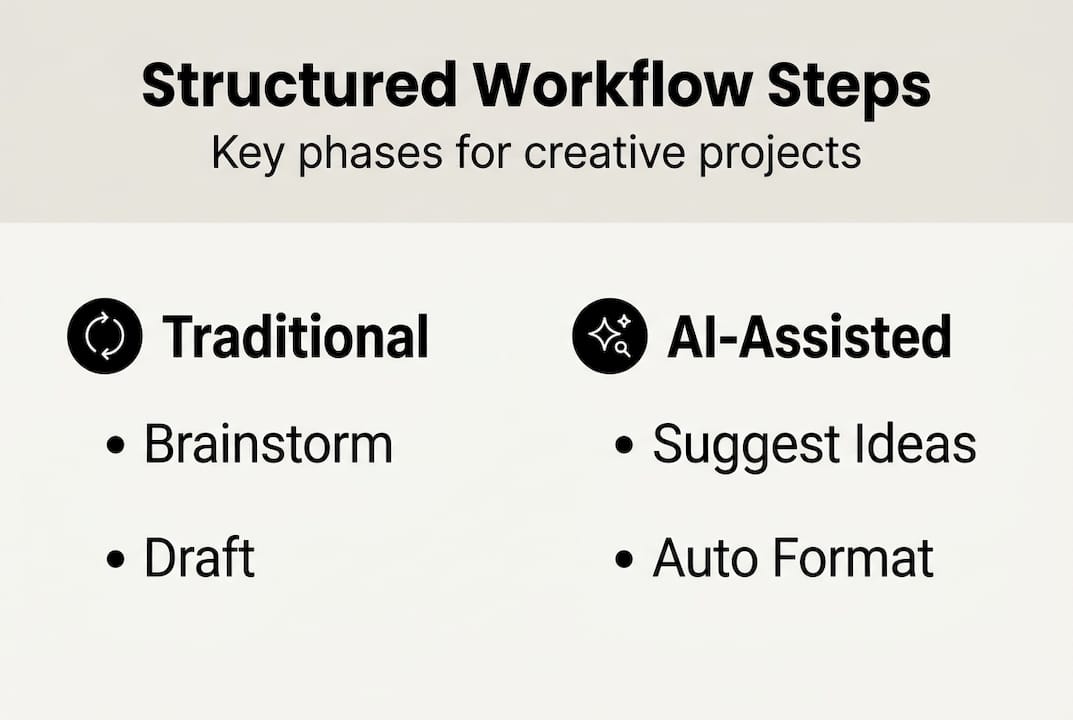
Here’s how the two approaches compare:
| Stage | Traditional workflow | AI-assisted workflow |
|---|---|---|
| Ideation | Manual brainstorming | AI generates options, artist selects |
| Outline | Handwritten or spreadsheet | AI drafts structure, artist refines |
| Draft | Fully manual | AI produces first pass, artist directs |
| Polish | Manual review | AI flags issues, artist decides |
| Distribute | Platform by platform | AI adapts formats, artist approves |
For a deeper look at how this maps to content creation, the digital content workflow guide and the YouTube workflow guide are worth exploring.
Pro Tip: Build a “gate check” between the draft and polish phases. Before moving forward, ask yourself: does this still sound or look like me? If the answer is no, revise before polishing.
Balancing creativity and automation: pitfalls and practices
Having mapped out the basic workflow, it’s crucial to address how automation can impact creativity.

Automation is a tool, not a replacement for artistic judgment. The risk isn’t that AI will take over your creative process. The risk is that you’ll let it, gradually, without noticing.
Here’s how that happens. You use AI to draft a caption. It’s fine, so you approve it quickly. Then you use it for a visual concept. Also fine. Then for your release copy. Before long, your output starts to feel smooth but hollow. The specific details that make your work yours, your references, your humor, your visual instincts, start to disappear.
“Without proper human gates, AI output risks being generic; empirical studies emphasize careful balance between automation and creative direction.”
The solution isn’t to use AI less. It’s to use it with intention. Set checkpoints in your workflow where you stop and ask whether the output reflects your actual creative vision. Review everything before it goes out. Treat AI output as a first draft, not a final answer.
For more on maintaining creativity within a structured process, and for visual storytelling ideas that keep your work distinctive, those resources offer practical starting points.
Common pitfalls to watch for:
- Over-reliance on AI defaults: Generic prompts produce generic output. Specificity is your best tool.
- Skipping the review phase: Rushing from draft to publish without a real quality check.
- Losing your voice in polish: Over-editing until the work sounds like everyone else.
- Treating the workflow as fixed: Applying the same process to every project without adapting.
Best practices that keep your work authentic:
- Write a short creative brief before you start. One paragraph describing what this project is and what it should feel like.
- Use AI to generate options, not decisions. You choose. It suggests.
- Build in a 24-hour gap between drafting and polishing. Fresh eyes catch a lot.
- Compare finished assets against your brief. If they don’t match, revise.
If you’re evaluating different tools for your process, looking at AI workflow alternatives can help you find the right fit for your creative style.
Applying structured workflows in real creative projects
Armed with best practices, here’s how to put structured workflows into action.
Theory is useful. Application is where the workflow actually proves its value. Here’s how structured workflows play out across three common creative project types.
Art portfolio: An artist building a cohesive portfolio uses the workflow to define a visual theme during ideation, map out the number and format of pieces during outlining, produce drafts in batches, and review for consistency before publishing. The result is a portfolio that feels intentional, not assembled at random.
YouTube channel: A creator planning a content series uses the workflow to develop episode concepts, outline scripts, draft and record, edit with a consistent style guide, and distribute across platforms with adapted captions and thumbnails. The promo visuals guide offers specific tactics for making each release land harder.
Social media campaign: A musician launching a release uses the workflow to develop the campaign concept, plan the asset list (cover art, short clips, captions, stories), produce assets in a single focused session, review for brand consistency, and schedule distribution across platforms.
Here’s how to adapt the workflow for your specific project:
- Start with a one-paragraph creative brief that defines the project’s purpose and feeling.
- List every deliverable you need before production starts.
- Assign a realistic time block to each workflow phase.
- Use AI for drafting and formatting. Use your judgment for everything else.
- Build a review checkpoint before any asset goes public.
AI-assisted workflows have enabled creators to publish faster and adapt their content efficiently across formats and platforms.
Here’s what the data shows across project types:
| Project type | Time saved with structured workflow | Quality outcome |
|---|---|---|
| Art portfolio | 40% faster asset organization | Higher visual consistency |
| YouTube series | 50% faster scripting and editing | Better retention per episode |
| Social media campaign | 60% faster asset production | Stronger brand cohesion |
For a broader look at tools that support this kind of structured production, workflow tools for artists covers several practical options worth considering.
What most guides miss: workflow isn’t one-size-fits-all
Most workflow guides present a single framework and imply it works for everyone. That’s a convenient simplification, but it doesn’t hold up in practice. A musician releasing singles every two weeks has completely different production rhythms than a visual artist building a gallery show over six months. Applying the same five-step process to both without adjustment creates friction, not flow.
The real skill isn’t following a workflow. It’s knowing when to tighten it and when to loosen it. Some projects need rigid checkpoints and strict timelines. Others need breathing room for unexpected creative turns. Treating your workflow as a living document, something you test, revise, and evolve with each project, is what separates creators who improve over time from those who plateau.
Pro Tip: After every project, spend 15 minutes reviewing what worked and what slowed you down. Update your workflow before you start the next one.
For practical guidance on creative workflow customization, that resource walks through how to adapt your process without losing the structure that makes it useful.
The best workflow is the one you’ll actually use, and the one you keep refining.
Take your creative process further with AI tools
Ready to implement these ideas? Here’s how to take the next step.
Knowing the framework is one thing. Having the right tools to execute it is another. Orias AI is built specifically for independent artists and content creators who want to move from rough concept to publish-ready assets without the usual friction. It gives you a structured workspace where you can shape your visual identity, generate variants, and export complete creative packs for campaigns and releases.

Whether you’re planning a music drop, a portfolio update, or a social media campaign, Orias AI helps you apply the structured workflow principles covered in this guide. You stay in control of the creative direction. The platform handles the heavy lifting on asset production, so you spend more time on the work that actually reflects your voice.
Frequently asked questions
What is a structured workflow for artists?
A structured workflow is an organized process for turning creative ideas into finished assets by following defined steps from ideation to publishing. Zro2One’s five-step workflow details how both AI and the artist contribute at each stage of structured creative production.
How can AI assist in an artist’s workflow?
AI tools help streamline research, generate draft content, and handle formatting, but they need human direction at key steps to keep output authentic. AI saves time but risks producing generic results without intentional creative oversight.
What are the main risks of structured workflow automation?
The biggest risk is losing your unique artistic voice when automation starts replacing creative judgment rather than supporting it. Unchecked automation consistently leads to generic output, according to empirical findings on AI-assisted creative production.
How do I personalize a workflow for my creative projects?
Adapt the framework by writing a creative brief before you start, adding review checkpoints, and revising your process after each project. AI-adapted workflows give creators the flexibility to customize their process for better outcomes across different project types.
Recommended
- What is a digital content workflow? Streamline creative projects - Orias AI
- Boost creativity: best practices for an efficient creative process - Orias AI
- AI Creative Workspace for Visual Storytellers, Content Creators and Artists - Orias AI
- Master the creative workflow for YouTube: a practical guide - Orias AI


