By Orias AI
How to Review AI-Generated Content Before You Publish
Review AI-generated content for quality, brand fit, rights, platform rules and consistency before publishing.
TL;DR:
- Reviewing AI-generated content means checking more than whether it looks good.
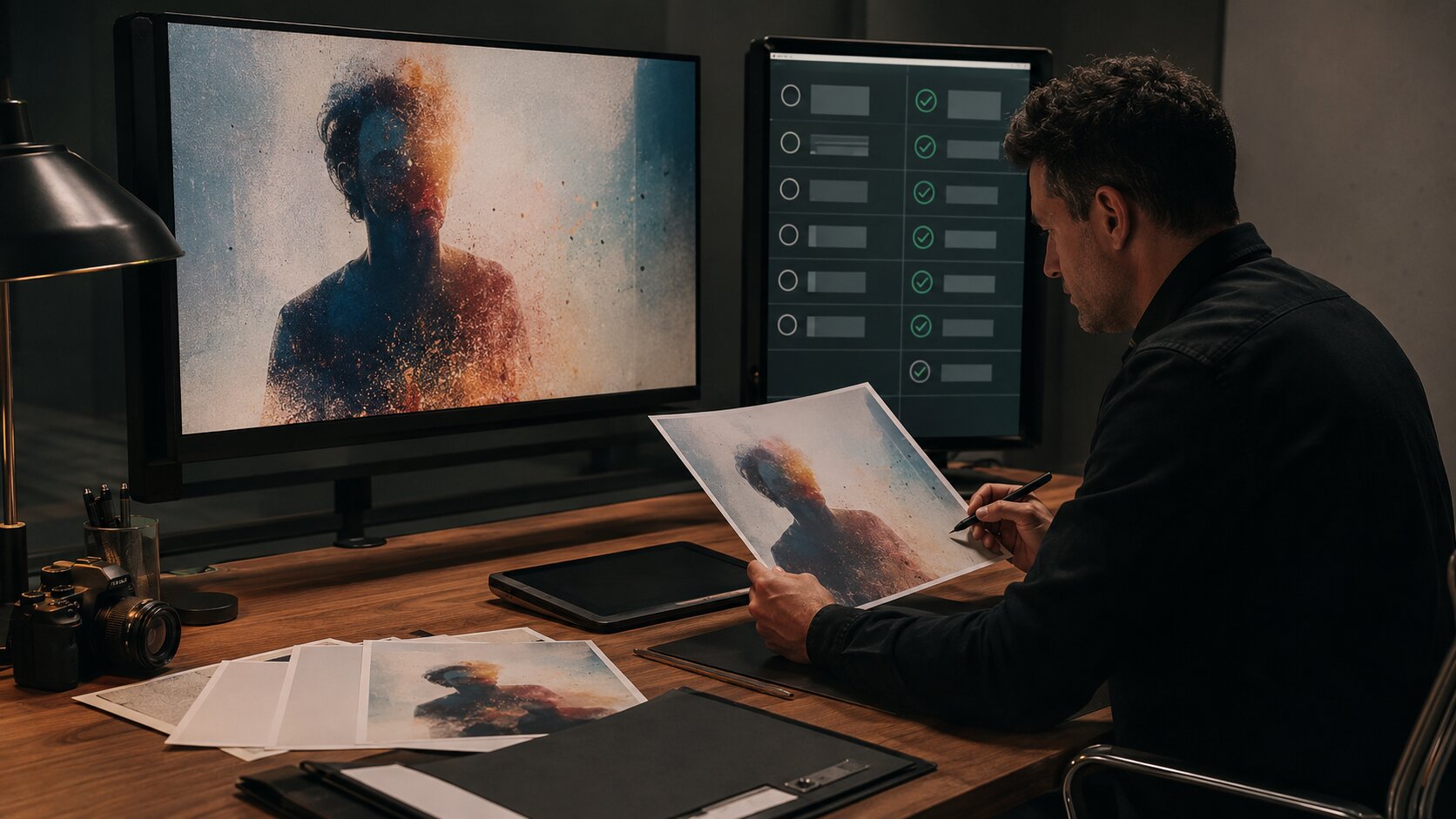
- Before publishing, creators should review creative fit, factual accuracy, visual consistency, rights, disclosure requirements, platform formatting, and final human polish.
- The best workflow is simple: define the creative direction first, generate options second, then run every selected asset through a structured pre-publish review.
AI can help creators move faster, but speed creates a new risk: publishing content before it has been properly judged. A visual may look polished but feel off-brand. A caption may sound confident but include a false claim. A music release asset may look cinematic in isolation but fall apart when cropped into a story, thumbnail, banner, and square post.
For artists, musicians, visual storytellers, and creator teams, the real value of AI is not just generation. It is the ability to explore more directions, test more variations, and build a clearer creative system. But the final decision still needs human taste, context, responsibility, and restraint.
This guide gives you a practical review process for AI-generated content before it goes live. You will learn how to check creative direction, platform fit, visual quality, rights, AI disclosure, and final polish so your output feels intentional rather than randomly generated.
Table of Contents
- What a pre-publish review actually protects
- Build a source-of-truth before you judge the output
- Review the creative fit before the technical details
- Check rights, likeness, disclosure, and platform rules
- Test every format like a viewer will see it
- Use a final human pass to remove the AI sheen
- Turn review notes into a repeatable publishing system
- How Orias AI supports a cleaner review workflow
- Frequently asked questions
- Sources used
Key Takeaways
| Point | Details |
|---|---|
| AI output needs editorial judgment | A generated asset can be technically impressive and still be wrong for the artist, audience, platform, or campaign moment. |
| Review against a brief, not your mood | Use a creative direction, reference notes, brand voice, and publishing goal as the standard for approval. |
| Rights and disclosure checks matter | Realistic synthetic media, likeness use, sponsorships, and AI-generated assets may trigger platform or legal review needs. |
| Format testing prevents weak publishing | Check crops, captions, thumbnails, compression, safe zones, and readability before posting. |
| Human polish is the differentiator | The final pass should remove generic AI texture, awkward wording, inconsistent details, and anything that weakens trust. |
What a pre-publish review actually protects
AI-generated content should not go straight from prompt to public feed. A pre-publish review protects five things: your brand, your audience’s trust, your legal safety, your platform performance, and the coherence of your creative world.
For a musician, this might mean checking that AI-assisted release visuals match the emotional tone of the song instead of looking like a generic cyberpunk poster. For a visual storyteller, it might mean confirming that a character, color palette, or setting stays consistent across a carousel. For a creator team, it might mean making sure the caption, thumbnail, and video all tell the same story.
The mistake is treating review as a final spelling check. It is more strategic than that. A good review asks:
- Does this asset express the intended idea?
- Does it match the creator’s visual identity?
- Is anything misleading, inaccurate, or legally risky?
- Does it work in the actual platform format?
- Would the audience understand why this exists?
AI makes it easy to create more options. Review is how you decide which options deserve to represent you.
Build a source-of-truth before you judge the output
You cannot review AI content properly if the only standard is “I like it” or “it looks professional.” Before generating or approving assets, create a simple source-of-truth document.
This does not need to be complicated. It can be a one-page creative direction containing the campaign goal, audience, mood, visual references, color direction, voice notes, forbidden clichés, and required formats.
Include the decision criteria
For each project, write down what the content must do. A release visual might need to feel intimate, nocturnal, and emotionally restrained. A YouTube thumbnail might need to create curiosity without misleading the viewer. A social teaser might need to communicate the mood in less than two seconds.
| Review Area | Question to Ask |
|---|---|
| Message | What should the viewer understand or feel? |
| Mood | Does the asset match the emotional direction? |
| Identity | Does it look like it belongs to this artist or creator? |
| Format | Is it built for the platform where it will appear? |
| Risk | Could this mislead, infringe, impersonate, or confuse? |
| Next action | Does it support the intended click, listen, follow, save, or share? |
Keep rejected directions visible
One of the most useful review tools is a “do not use” list. AI tools are good at drifting toward visual clichés: glowing faces, impossible hands, plastic skin, fake interfaces, overdramatic lighting, meaningless futuristic symbols, and generic luxury textures.
If a direction feels wrong, document it. “No fake holograms.” “No unreadable pseudo-text.” “No distorted instruments.” “No random neon city scenes.” These notes improve future prompts and make review faster.
Review the creative fit before the technical details
Many creators check resolution, spelling, and export settings first. Those matter, but they should come after creative fit. A technically clean asset can still fail if it does not belong to the project.
Start with the big editorial question: would this still make sense if the AI tool had not made it?
Check the idea behind the asset
Look at the content without focusing on polish. Ask what idea it communicates. If the answer is vague, the asset probably needs refinement.
For example, an AI-generated image for a music release may show a beautiful figure in dramatic lighting. But if the song is about quiet distance, and the image feels like a fashion campaign, the asset is not working. The problem is not quality. The problem is direction.
Compare it to the creative world
Strong AI-assisted campaigns usually come from consistency: recurring mood, light, texture, composition, language, and rhythm. Review each asset against the whole system, not as a standalone piece.
Ask:
- Does this feel like the same world as the cover image?
- Does the caption use the same voice as the campaign?
- Do the teaser, carousel, and thumbnail feel connected?
- Is the visual language specific enough to be recognizable?
Consistency does not mean everything looks identical. It means every piece feels like it came from the same creative decision.
Pro Tip: Review AI content in groups, not one file at a time. Place the hero visual, square post, vertical story, thumbnail, caption, and banner together. Weaknesses become easier to see when the full system is visible.

Check rights, likeness, disclosure, and platform rules
This is the part many creators skip because it feels less creative. It is also the part that can create the biggest problems.
AI-generated content may involve likeness, voice, copyrighted references, realistic synthetic media, brand marks, platform disclosure rules, or sponsorship requirements. You do not need to become a lawyer to publish responsibly, but you do need a review habit.
Do not publish realistic AI content without disclosure review
Major platforms increasingly distinguish between casual AI assistance and realistic altered or synthetic content. YouTube says creators may need to disclose realistic altered or synthetic content that viewers could mistake for a real person, place, scene, or event, while it does not require disclosure for clearly unrealistic content or AI used only for production assistance such as ideas or captions.
TikTok also requires creators to label AI-generated content that contains realistic images, audio, or video. Meta has described AI labeling systems for organic content and ads, including labels for content created or significantly edited using Meta’s generative AI creative features.
Before publishing, ask:
- Does this show a realistic person doing or saying something they did not do?
- Does it imitate a real artist, creator, public figure, fan, or collaborator?
- Could a viewer mistake the scene for real footage or a real event?
- Does the platform offer an AI label or upload disclosure setting?
- Is this sponsored, promotional, or connected to a material relationship?
When in doubt, review the current rules inside the platform’s official help center before posting. Policies change, and creative teams should treat disclosure as part of publishing, not an afterthought.
Review copyright and ownership with caution
The U.S. Copyright Office’s AI guidance emphasizes human authorship. It states that people may claim copyright protection for their own human contributions in works containing AI-generated material, but applicants need to identify AI-generated elements when relevant.
For creators, the practical lesson is simple: do not assume that every AI-generated output gives you the same protection as a fully human-made work. Keep records of your prompts, edits, selections, compositing work, sketches, reference boards, and final human modifications. Those records can help document your creative contribution.
This is especially important for album artwork, merch concepts, campaign visuals, client deliverables, and brand identity assets.
Check likeness, voice, and reference risk
AI tools can accidentally create images that resemble real people, known characters, brand marks, celebrity styling, or protected artworks. Before publishing, check for:
- Faces that look too much like a real person
- Voices that resemble a known artist or influencer
- Fake logos, fake UI, or distorted brand marks
- Visuals that closely imitate a living artist’s style for commercial use
- References that were used without permission
A safe review habit is to ask: “Would I still publish this if the person or brand it resembles saw it?”
Do not forget sponsorship and endorsement rules
If AI-generated content is part of a paid collaboration, affiliate campaign, gifted product, or brand partnership, disclosure rules may apply even if AI is not the main issue. The FTC’s endorsement guidance focuses on clear disclosure of material connections between advertisers and endorsers.
For creators, this means a review pass should check both AI transparency and commercial transparency.
Test every format like a viewer will see it
AI assets often look strong inside the generation tool and weaker once they are cropped, compressed, captioned, or placed inside a platform feed. Review in the final context.
A vertical story, square post, YouTube thumbnail, Spotify canvas, website hero, and email header all have different viewing conditions. People may see them small, fast, muted, cropped, or with interface elements covering part of the frame.
Run a platform-fit check
Before publishing, test:
- Does the main subject survive the crop?
- Is the focal point clear on mobile?
- Does any text remain readable?
- Are important details hidden by UI overlays?
- Does the image become muddy after compression?
- Does the video work without sound?
- Does the thumbnail truthfully represent the content?
YouTube’s policies warn against thumbnails and metadata that mislead viewers, and its thumbnail policy applies to images such as thumbnails, banners, avatars, and posts. This is relevant for AI-generated thumbnails because AI can produce dramatic images that attract clicks but do not accurately represent the video.
Check music platform requirements
For musicians, review is also about platform acceptance. Spotify’s cover art requirements specify a square 1:1 image, supported file formats, high resolution, sRGB color space, and no upscaling. Spotify’s artist image guidance also includes file size, format, and content restrictions such as avoiding text, advertising, and infringing material in artist images.
Apple Music’s cover art guidance lists a perfect square format and at least 4000 x 4000 pixels, while its artist image guidelines warn against issues such as low quality, pixelation, borders, marketing copy, third-party logos, and typography.
This matters because AI-generated visuals often need finishing work. You may need to upscale properly, remove fake text, rebuild typography manually, adjust color profiles, and export platform-specific versions.
Use a final human pass to remove the AI sheen
The “AI sheen” is not one specific flaw. It is the feeling that the asset is polished but impersonal. It can show up as overly smooth skin, impossible lighting, generic captions, meaningless symbols, inconsistent hands, fake depth of field, or emotional vagueness.
A final human pass should make the asset more specific.
Look for visual tells
Review the image or video at full size and small size. Zoom in, then step back. AI mistakes are often hidden in details but felt in the whole composition.
Check:
- Hands, teeth, eyes, ears, instruments, jewelry, and clothing
- Fake text, fake signs, fake interface elements, and unreadable labels
- Reflections, shadows, and impossible light sources
- Repeated textures or strange background objects
- Cropped limbs or distorted props
- Overly glossy surfaces that do not match the concept
Do not fix every imperfection automatically. Some roughness can feel human and interesting. The question is whether the flaw distracts from the work.
Rewrite AI-generated copy in the creator’s voice
Captions, hooks, titles, and descriptions need a human pass too. AI copy often sounds balanced, safe, and slightly over-explained. For creators, that can flatten the voice.
Review copy for:
- Phrases the creator would never say
- Claims that are too broad or unsupported
- Repetition across posts
- Hashtags that feel generic
- Captions that explain the art instead of inviting people into it
- Calls to action that feel forced
A better caption often comes from subtraction. Remove the obvious sentence. Keep the line with tension, rhythm, or point of view.

Use a publish or revise decision
At the end of review, every asset should receive one of three labels:
| Status | Meaning |
|---|---|
| Publish | Ready after final export and scheduling. |
| Revise | Strong direction, but needs editing, resizing, rewriting, or retouching. |
| Reject | Not aligned, too generic, too risky, or too far from the brief. |
Avoid the dangerous fourth category: “good enough because we need to post.” If the content represents an important release, campaign, or brand moment, weak AI output can cost more than waiting to refine it.
Turn review notes into a repeatable publishing system
A strong AI workflow gets better over time. Every review should improve the next generation round, not just approve or reject the current asset.
Create a simple review log. For each project, record what worked, what failed, and what should change in future prompts or creative direction.
Use a lightweight review checklist
Before publishing, run this checklist:
- Creative direction matches the brief
- Visual identity feels consistent
- Caption or copy sounds human and specific
- Claims are accurate and not exaggerated
- AI disclosure has been reviewed
- Sponsorship or partnership disclosure has been reviewed
- Likeness, voice, and reference risks have been checked
- File dimensions and formats match the platform
- Crops work across mobile placements
- No fake text, distorted logos, or accidental artifacts remain
- Final exports are named clearly
- Approved version is separated from drafts
This checklist can be used by solo creators or teams. The key is consistency. If you only review carefully on major launches, your everyday content will still drift.
Build review roles for teams
For creative teams, separate responsibilities:
- Creative lead reviews concept, taste, and brand fit
- Editor reviews clarity, pacing, language, and story
- Designer reviews layout, crop, typography, and export quality
- Producer or manager reviews platform requirements and scheduling
- Legal or business owner reviews rights, disclosure, and partner obligations when needed
Small teams do not need five people. One person can wear multiple hats. But the roles should still be clear.
Use provenance tools where appropriate
Content Credentials can help communicate how digital content was made and edited. Adobe describes Content Credentials as an industry-standard metadata type that can include creator information and whether content was generated by AI or edited with tools such as Photoshop. C2PA provides the open technical standard behind Content Credentials for establishing the origin and edits of digital content.
These tools are not a replacement for judgment, but they can support transparency, attribution, and internal recordkeeping.
How Orias AI supports a cleaner review workflow
Orias AI is designed for creators who do not want AI output to feel random. Instead of treating every prompt as a one-off experiment, creators can use Orias AI to move from rough ideas, references, moods, and campaign concepts into clearer visual directions and publish-ready creative packs.
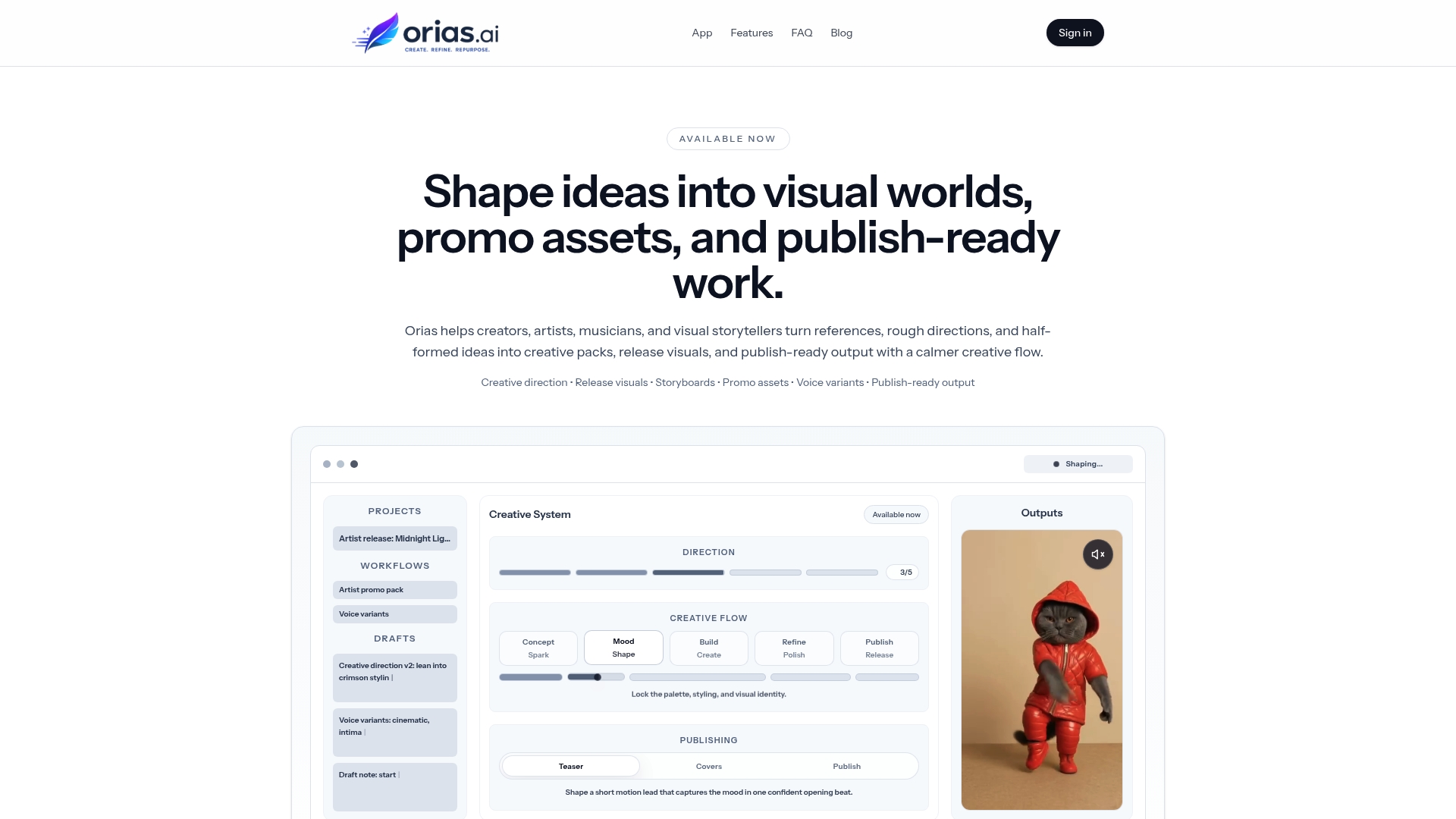
That matters during review because better inputs create better review standards. When your mood, references, asset goals, and creative direction are organized before generation, it becomes easier to judge what belongs, what needs refinement, and what should be rejected.
For artists, musicians, and visual storytellers, Orias AI can support the full pre-publish path: idea development, visual worldbuilding, promo asset planning, release visuals, campaign variants, and final creative packs. The goal is not to remove human taste. The goal is to give human taste a clearer system to work with.
Frequently asked questions
How should I review AI-generated content before publishing?
Start by comparing the content to your creative brief. Then review brand fit, accuracy, rights, AI disclosure needs, platform format, visual quality, caption quality, and final exports. Do not approve an asset only because it looks polished.
Do I need to disclose that content was made with AI?
It depends on the platform, the content type, and how realistic or potentially misleading the content is. Realistic altered or synthetic images, audio, or video may require disclosure on platforms such as YouTube or TikTok. Always check the platform’s current upload flow and policy documentation before publishing.
Can I use AI-generated visuals for music release artwork?
Possibly, but review carefully. Check your distributor and platform requirements, make sure the artwork meets technical specifications, avoid infringing references or fake logos, and keep records of your creative process. Important release artwork often benefits from human editing, typography, and finishing.
What is the biggest mistake creators make with AI content?
The biggest mistake is publishing the first impressive output instead of reviewing it against a clear direction. AI can generate attractive visuals that are still generic, inconsistent, misleading, or wrong for the campaign.
How do I keep AI-generated content consistent across platforms?
Create a source-of-truth before generating assets. Define mood, palette, composition rules, voice, references, and forbidden clichés. Then review every format together: vertical, square, wide, thumbnail, story, banner, and caption.
Should I edit AI-generated content manually?
Usually, yes. Manual editing helps remove artifacts, improve crops, refine typography, adjust color, rewrite captions, and make the final asset feel more intentional. AI is useful for exploration, but publishing quality often comes from refinement.
How much time should a pre-publish review take?
For everyday posts, a short checklist may be enough. For major releases, paid campaigns, collaborations, album visuals, or client work, review should be more structured and may involve several rounds. The higher the visibility or risk, the more careful the review should be.
Sources Used
- YouTube Official Blog: Disclosing altered or synthetic content
- YouTube Help: Altered or synthetic content disclosures
- TikTok Help Center: About AI-generated content
- Meta: Approach to labeling AI-generated content and ads
- U.S. Copyright Office: Copyright and Artificial Intelligence
- FTC: Endorsements, Influencers, and Reviews
- Spotify for Artists: Cover art requirements
- Spotify for Artists: Artist image guidelines
- Apple Music for Artists: Cover art guidelines
- Adobe Help: Content Credentials overview
- C2PA: Verifying media content sources