Master Storyboards in Digital Campaigns: Boost Visual Impact
Learn how storyboards cut production costs by 30%, align teams, and protect brand trust across digital campaigns. Practical steps for content creators and marketers.

TL;DR:
- Storyboarding ensures visual alignment, reducing miscommunication and costly revisions.
- It streamlines workflow, saving up to 30% in production costs and improving campaign consistency.
- Storyboards act as brand protection, preventing message drift, off-brand visuals, and AI errors.
Table of Contents
- Why storyboards matter in digital campaigns
- Core elements of effective digital storyboards
- Streamlining teamwork and workflow with storyboards
- Mitigating risks and keeping brand trust with storyboards
- Our perspective: Why storyboards are your campaign’s insurance policy
- Empower your campaigns with smarter storyboarding
- Frequently asked questions
Key Takeaways
| Point | Details |
|---|---|
| Storyboarding boosts results | Using storyboards aligns creative teams, reduces errors, and creates unified visual campaigns. |
| Key elements matter | Effective storyboards focus on clear goals, mapped sequences, and brand consistency. |
| Workflows run smoother | Storyboards help teams collaborate, communicate, and deliver on time even with complex assets. |
| Avoid brand risks | Proactive storyboarding prevents off-brand messaging, legal issues, and reputation damage. |
Why storyboards matter in digital campaigns
A storyboard is not just a series of sketches. For digital campaigns, it functions as a visual map that sequences every touchpoint across social media, email, web, and video. It tells your team what comes first, what follows, and how each asset supports the next. That kind of sequencing is what separates a campaign that feels intentional from one that feels scattered.
The practical value is direct. When your creative director, copywriter, and project manager are all looking at the same storyboard, they share the same vision. Disagreements about tone, timing, or visual style get resolved at the planning stage, not during production when changes are expensive. Storyboarding reduces production costs by up to 30% by catching misalignments early and ensuring a cohesive narrative across channels before a single asset is built.
This matters even more for smaller teams and independent creators. You may not have the luxury of reworking a full asset set midway through a campaign. Storyboarding gives you clarity upfront so you can move with confidence later.
Storyboards also support innovative storytelling ideas by giving abstract concepts a concrete visual form early enough to test and refine. Once you see your campaign laid out in frames, gaps in the narrative become obvious. You can ask the right questions before committing resources.
Here are the specific pain points a storyboard helps you solve:
- Asset misalignment: Different team members producing visuals that don’t match in style, tone, or message
- Weak brand narrative: Campaign assets that feel disconnected rather than building on each other
- Last-minute resource crunches: Scrambling to create missing assets close to launch because the full picture wasn’t mapped out
- Stakeholder confusion: Approvers not understanding how the campaign pieces fit together
- Missed channel requirements: Forgetting to account for format differences across platforms
“A storyboard is your campaign’s first draft. It’s the safest place to make mistakes, change direction, and align everyone before the work becomes expensive.”
Learning from creative process best practices reinforces one consistent truth: planning at the visual stage always pays off downstream.
Core elements of effective digital storyboards
With an understanding of why storyboards matter, the next step is knowing what to put in them. A digital campaign storyboard has more to cover than a traditional film storyboard because it spans multiple platforms and content formats simultaneously.
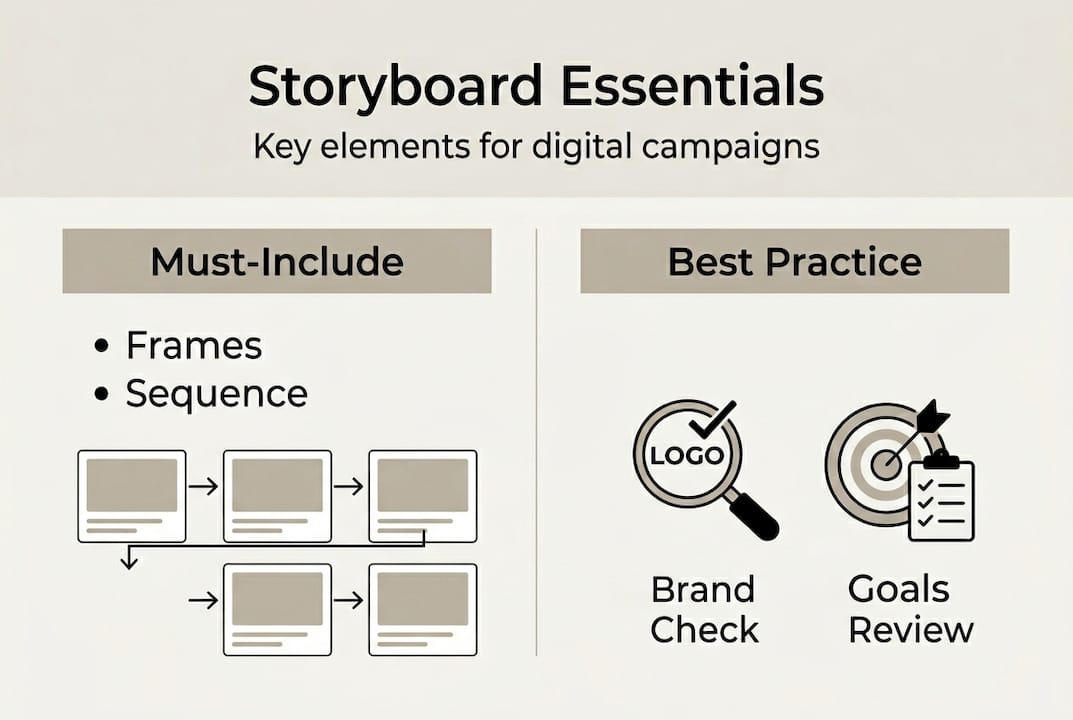
Here are the core components every effective digital storyboard should include:
| Element | Purpose |
|---|---|
| Frames | Visual thumbnails showing layout or scene for each step |
| Text notes | Captions, headlines, or voiceover copy tied to each frame |
| Asset notes | Specs for images, video clips, or graphics needed per frame |
| Channel indicators | Labels showing which platform each frame is designed for |
| Calls to action | The intended next step for the audience at each stage |
Building a storyboard without a process leads to incomplete planning. Follow these steps to structure yours effectively:
- Set campaign goals using SMART criteria. Specific, measurable, achievable, relevant, and time-bound goals keep every frame purposeful.
- List your audience’s triggers and pain points. SMART goals and audience pain points are the foundation for channel fit and message alignment across multi-channel campaigns.
- Map your platforms. Identify every channel your campaign will use and note format requirements for each.
- Sketch your sequence. Start rough. Place frames in order from awareness through conversion, and note the transitions between each stage.
- Assign assets to each frame. Specify what needs to be created, who is responsible, and when it’s needed.
Following an efficient creative process means reviewing your storyboard against your goals before production begins, not after.
Pro Tip: At the storyboard stage, run a brand consistency check. Compare every frame against your visual identity guidelines. If a frame looks off, adjust it now. Changing a thumbnail takes minutes; changing a finished video takes days.
Streamlining teamwork and workflow with storyboards
Once you have the right elements in place, the storyboard becomes a shared reference point for everyone on the team. That shared reference is what eliminates the back-and-forth that slows campaigns down.

The difference between running a campaign with and without a storyboard is significant across every dimension that affects delivery:
| Factor | With storyboard | Without storyboard |
|---|---|---|
| Timeline accuracy | Predictable, milestone-driven | Frequently delayed by rework |
| Miscommunication rate | Low, clear visual reference | High, reliant on verbal descriptions |
| Production errors | Caught early in planning | Discovered during or after production |
| Cost control | Budget protected by upfront clarity | Budget eroded by late-stage revisions |
Storyboards also clarify roles. When each frame includes asset notes and channel indicators, every team member knows exactly what they need to deliver. No one is guessing what the creative director had in mind.
These are the roles most directly empowered by a well-built storyboard:
- Creative team: Clear visual direction reduces interpretation errors and speeds up asset production
- Editorial team: Knows which copy goes where, in what format, and at what stage of the sequence
- Project managers: Can build accurate timelines because asset requirements are defined from the start
- Stakeholders and clients: Can visualize the campaign before it launches, reducing approval friction
A structured digital content workflow built around storyboarding keeps everyone synchronized, especially when timelines are tight. Using a structured workflow for artists and creators reinforces how the same principles apply whether you’re running a brand campaign or a solo content drop.
Production costs drop by up to 30% when teams storyboard first, because gaps and conflicts are identified before they become production problems.
Pro Tip: Use a collaborative digital tool to host your storyboard so team members can leave comments directly on frames. Real-time feedback on specific frames is faster and more precise than email threads.
Mitigating risks and keeping brand trust with storyboards
With strong collaboration in place, the conversation shifts to something equally important: protecting your brand while the campaign is in motion. Execution risks are real, and they can erode audience trust quickly if left unaddressed.
The three most common risks in campaign execution are:
- Message drift: The campaign’s core message weakens or shifts as assets are produced by different people or at different times
- Loss of brand authenticity: Visual or tonal choices that don’t reflect your brand identity end up in published assets
- AI-generated errors: When AI tools are used for asset creation, outputs can include visual inconsistencies or misattributed concepts that confuse audiences
The AI ad controversy around Coca-Cola’s AI-generated campaign highlighted a critical issue: misattributed concepts and AI errors create transparency problems and brand alignment failures that damage audience trust at scale.
Storyboards serve as your first line of defense. When every asset is mapped before it’s created, you can apply brand checks at the planning stage rather than after production.
Here are practical mitigation steps to build into your storyboard review process:
- Internal review gates: Schedule a review at the storyboard stage with brand, legal, and creative leads before any production begins
- Consistent asset references: Include visual identity references, approved color palettes, and tone guides directly in your storyboard frames
- Legal checks for regulated industries: If your campaign references claims, endorsements, or third-party content, flag those frames for legal review early
- AI output review: If AI tools are generating any visuals, include a dedicated review step to verify outputs match brand intent and don’t introduce unintended visual artifacts
“Brand missteps rarely happen because of bad intentions. They happen because no one reviewed the full picture before things went live.”
Applying storytelling best practices and investing in promo visuals quality at the planning stage reduces the likelihood of publishable mistakes significantly.
Our perspective: Why storyboards are your campaign’s insurance policy
Here’s a reality most creative teams only learn after a painful experience: storyboarding feels optional right up until the moment it isn’t. You’ll skip it when timelines are tight, tell yourself the team knows the vision, and trust that everyone is aligned. Then assets come back mismatched, the campaign launches fragmented, and you spend the following week in damage control.
The uncomfortable truth is that skipping storyboards doesn’t save time. It borrows time from later in the process when fixes are more expensive and more stressful. Every hour you invest in planning visually before production starts pays back at a multiplier.
We’ve also seen another pattern: teams that storyboard consistently are better positioned to adapt as visual trends shift. When your workflow is built around visual planning, adopting new formats or platforms is a matter of adding frames, not rebuilding your entire process.
Think of your storyboard as a living document, not a one-time deliverable. It captures your campaign logic in a form everyone can revisit, refine, and build on. Following creative process insights that prioritize structured planning isn’t about slowing down your creativity. It’s about giving your ideas the best possible chance of landing the way you intended.
Empower your campaigns with smarter storyboarding
If you’ve worked through campaign planning manually and felt the friction of misaligned assets and last-minute revisions, you already know how much a structured visual workflow is worth. The strategies in this article give you a solid foundation, but having the right tools makes the process faster and more consistent.

Orias AI is built for exactly this kind of creative workflow. From shaping your campaign’s visual identity to generating storyboard-ready assets and promo packs, the platform takes your rough concepts and turns them into publish-ready creative output. Whether you’re planning a product drop, a content series, or a full campaign, Orias AI gives you the workspace to build, refine, and export your creative vision without the manual bottlenecks. Explore the platform and see how much faster your next campaign can move.
Frequently asked questions
How do I start a storyboard for a digital campaign?
Begin by setting clear SMART goals and audience triggers, then sketch a frame-by-frame sequence that maps every channel involved in your campaign.
Can storyboards reduce production costs?
Yes. Production costs drop up to 30% when storyboards align teams and catch errors before content creation begins.
What risks do storyboards help prevent in digital campaigns?
Storyboards prevent miscommunication, asset misplacement, and off-brand messaging by giving all teams a shared visual reference before production starts. The Coca-Cola AI campaign is a clear example of what happens without that alignment.
Are digital storyboards only useful for video content?
No. Storyboards support multi-channel campaigns including social posts, email sequences, and cross-platform asset sets, mapping the full audience journey from awareness to conversion.