Build a streamlined visual branding workflow for impact
Transform your branding with a streamlined visual branding workflow. Create consistent, high-quality assets quickly and effortlessly!
TL;DR:
- A structured visual branding workflow ensures consistency, efficiency, and scalable asset creation.
- Proper preparation involves intake questionnaires, mood boards, audience profiles, and reference banks.
- Integrating AI tools automates repetitive tasks while maintaining creative control and brand integrity.
Disorganized visual branding is one of the most quietly damaging habits a creator can develop. You spend hours producing assets, only to realize your Instagram visuals don’t match your press kit, your color palette shifted three times this month, and your audience can’t quite place your identity. A structured visual branding workflow solves all of that. It gives you repeatable steps that produce consistent, high-quality assets faster, reduce decision fatigue, and keep your creative energy focused where it actually counts.
Table of Contents
- What you need to start your visual branding workflow
- Step-by-step: Building an efficient visual branding workflow
- Integrating AI and tools for next-level visual consistency
- Troubleshooting and optimizing your branding workflow
- What most creators miss in visual branding workflows
- Take your branding to the next level with Orias AI
- Frequently asked questions
Key Takeaways
| Point | Details |
|---|---|
| Start with clarity | Clear intake and mood boards set the foundation for consistent branding. |
| Follow a structured workflow | Breaking work into repeatable steps cuts confusion and saves time. |
| Use templates and tools | Template-based workflows and AI accelerate asset creation and boost consistency. |
| Limit revisions | Cap feedback cycles to three for efficient turnaround and sharper results. |
| Optimize regularly | Troubleshoot bottlenecks, refine templates, and evolve your workflow for ongoing impact. |
What you need to start your visual branding workflow
Before launching into the step-by-step process, make sure you have the right setup. Jumping into design without the proper foundation is the fastest route to rework, wasted hours, and a brand that looks assembled rather than intentional.
Here are the core requirements you need to gather before starting:
- A mood board platform. Pinterest, Milanote, or even a simple folder system works. You need a visual reference space where style, color, and tone come together.
- An intake questionnaire template. This is a structured set of questions covering your target audience, tone, visual preferences, and competitive landscape. Client intake uses questionnaires for target audience and design preferences, followed by Pinterest mood boards and 2 to 3 color palette options. This step prevents guesswork later.
- A design tool matched to your skill level. Canva for quick execution, Adobe Photoshop or Illustrator for precision work, or an AI-powered tool for automated generation at scale.
- A defined audience profile. Before you choose a single color or font, know exactly who you’re designing for. Age, platform habits, aesthetic preferences, and the visual language your audience already responds to.
- A reference bank. Collect 10 to 20 images that represent the feeling you want your brand to convey. These become your visual anchor throughout the project.
Following creative process best practices means doing the preparation work seriously. Skipping the intake phase is the most common reason creators end up with beautiful assets that somehow don’t feel right.
| Prerequisite | Purpose | Recommended Tool |
|---|---|---|
| Intake questionnaire | Defines direction and constraints | Google Forms, Notion |
| Mood board | Visual tone alignment | Pinterest, Milanote |
| Audience profile | Informs style decisions | Research, analytics data |
| Color palette (2 to 3 options) | Ensures visual consistency | Coolors, Adobe Color |
| Design tool | Asset creation and execution | Canva, Photoshop, Orias AI |
Pro Tip: Build your intake questionnaire once and reuse it for every project. The 20 minutes it takes to fill out will save you hours of course-correcting later.
A structured workflow for artists always begins with this kind of groundwork. Mood boarding is not a soft, optional creative exercise. It is a precision tool for aligning your visual intentions before a single asset gets made.
Step-by-step: Building an efficient visual branding workflow
With your prerequisites in place, here is an exact process to follow. Each step is designed to be repeatable, which is the key to scaling your branding without sacrificing quality.
- Run your intake session. Fill out your questionnaire thoroughly. If you are working with a client or collaborator, walk through the answers together. Surface preferences, reference points, and any “never do this” constraints before you start designing.
- Build your mood board. Gather visual references that reflect the target feeling, not just visuals you personally like. Organize them by category: typography, color, layout, photography style, and iconography.
- Develop 2 to 3 initial concepts. Do not over-invest in a single direction this early. Create multiple visual directions so you have real options to compare. This is where visual storytelling ideas come into play. Explore what story each concept tells at a glance.
- Set a revision limit and stick to it. Logo concepts use 2 to 3 options, with 3 rounds of revisions maximum. Apply the same discipline to all your assets: cover art, promotional graphics, and social templates. Revision creep is where workflows collapse.
- Collect structured feedback. Give reviewers a checklist instead of an open-ended “what do you think?” question. Ask specific things: Does this match the mood board? Does the typography feel right? Is the hierarchy clear? Specific questions produce useful answers.
- Refine and finalize. Take feedback from each round and apply it systematically. Resist the urge to reinvent during revision. You are refining, not redesigning.
- Deliver a complete asset pack. Include every format your channels require. Social media sizes, web-ready files, high-resolution print versions, and a simple brand guide that documents the palette, fonts, and usage rules.
For building a magnetic visual identity, the delivery step is just as important as the design itself. A brand that lives only in your head or scattered across a hard drive is not a brand yet. It is a collection of files.
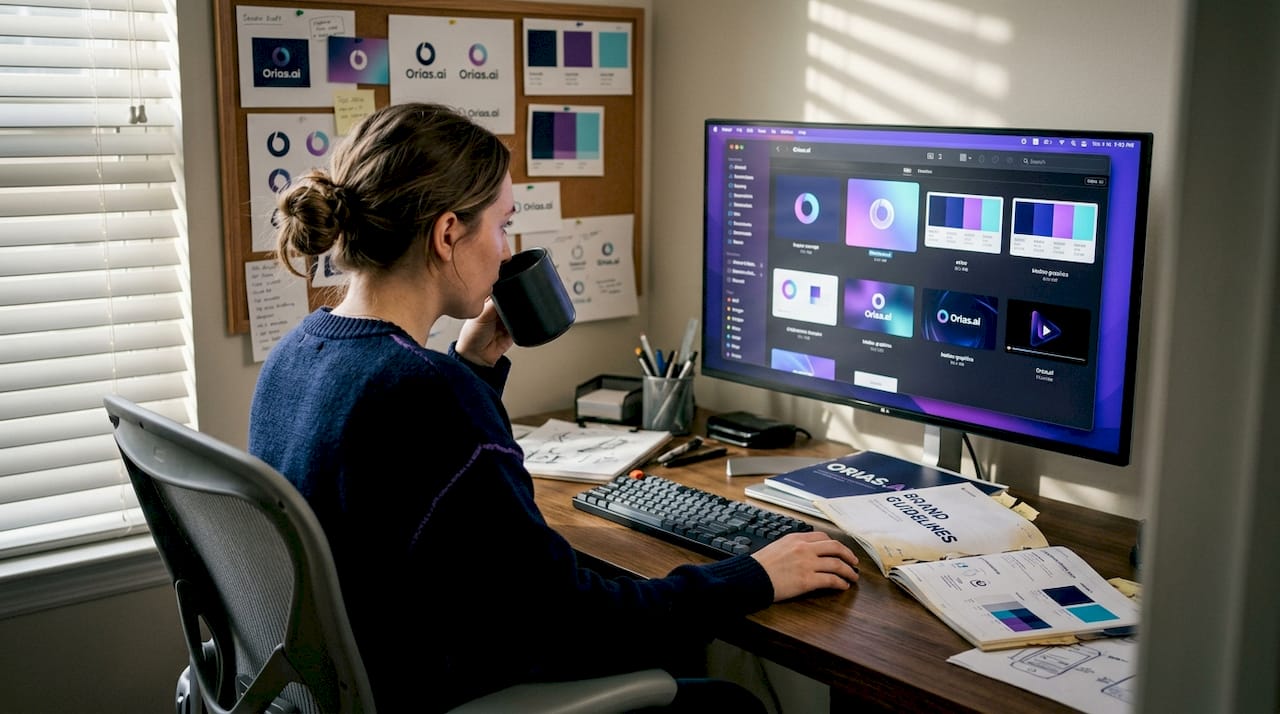
A practical philosophy that works well here is: document don’t create. When you are building out your brand, capture the process itself as content. Your mood board selection, your color palette rationale, your revision decisions. These behind-the-scenes moments are authentic and scalable for social content without extra effort.
| Workflow type | Speed | Consistency | Creative nuance | Best for |
|---|---|---|---|---|
| Human only | Slow | Variable | High | Small, bespoke projects |
| AI assisted | Fast | High | Moderate | Scale and volume |
| Hybrid | Moderate to fast | Very high | High | Most creators and campaigns |
Pro Tip: Batch similar tasks across projects. Design all your social headers in one session. Generate all your color variations together. Batching reduces the cognitive cost of context-switching and keeps your output quality consistent.
Integrating AI and tools for next-level visual consistency
Once your workflow is established, it is time to supercharge it with modern tools. AI does not replace creative judgment. It removes the repetitive work that slows judgment down.
Here is what AI handles well in a visual branding workflow:
- Color palette replication. AI tools can sample your approved palette and apply it consistently across hundreds of assets without drift.
- Layout templating. Feed in a layout structure and generate multiple format variations automatically.
- Style transfer. Apply the visual style of your brand to new images without manual adjustments each time.
- Caption and copy variants. Generate multiple text options for the same visual without starting from scratch each time.
- Asset resizing. Automatically adapt a hero image to all required platform dimensions.
AI benchmarks like VIST highlight the need for production-ready consistency, with hybrid human-AI workflows identified as optimal for real-world brand applications. The VIST benchmark specifically tests whether AI-generated images can maintain a brand’s visual identity at scale, and the results consistently show that no fully automated system yet matches human quality control at the nuance level.
“The most effective branding systems are not built by choosing between human creativity and AI efficiency. They are built by knowing precisely where each one belongs in the process.”
This is a principle worth internalizing. When you use AI in visual branding, the goal is not to automate your creative voice. It is to automate the mechanical translation of that voice across formats, platforms, and volume requirements.
The most practical approach is to define your brand rules manually during the intake and concept phases, then hand those rules to your AI tools for execution at scale. A well-built digital content workflow treats AI as a production assistant, not a creative director.
One thing many creators underestimate: consistency at scale is genuinely hard without automation. If you are releasing content weekly across four platforms, the math quickly becomes unmanageable for a solo creator managing everything manually. AI tools specifically designed for brand style transfer close that gap without sacrificing your visual identity.
Troubleshooting and optimizing your branding workflow
Even with the right workflow and tools, challenges arise. Here is how to fix and refine the most common problems before they derail your process.
Common bottlenecks to watch for:
- Decision fatigue. Too many open-ended choices early in the process lead to paralysis. Fix this by narrowing options at each stage before moving forward.
- Inconsistent feedback. Vague input like “make it pop more” stalls revisions. Use structured feedback checklists to keep input actionable.
- Off-brand asset drift. Over time, small deviations accumulate and your brand starts to look inconsistent. Fix this with a brand style guide that everyone working on your content references.
- Scope creep in revisions. New ideas introduced late in the revision process destroy timelines. Set a rule: new concepts require a new project intake, not a revision round.
- Missing file formats. Discovering mid-campaign that you need a size you did not produce is avoidable with a standard delivery checklist.
Optimization tactics that actually work:
Using mood boards and templates to scale personal branding efficiently is one of the most consistently effective strategies across creator categories. Templates do not constrain your creativity. They protect your creative energy by removing the decisions that don’t need to be made fresh every time.
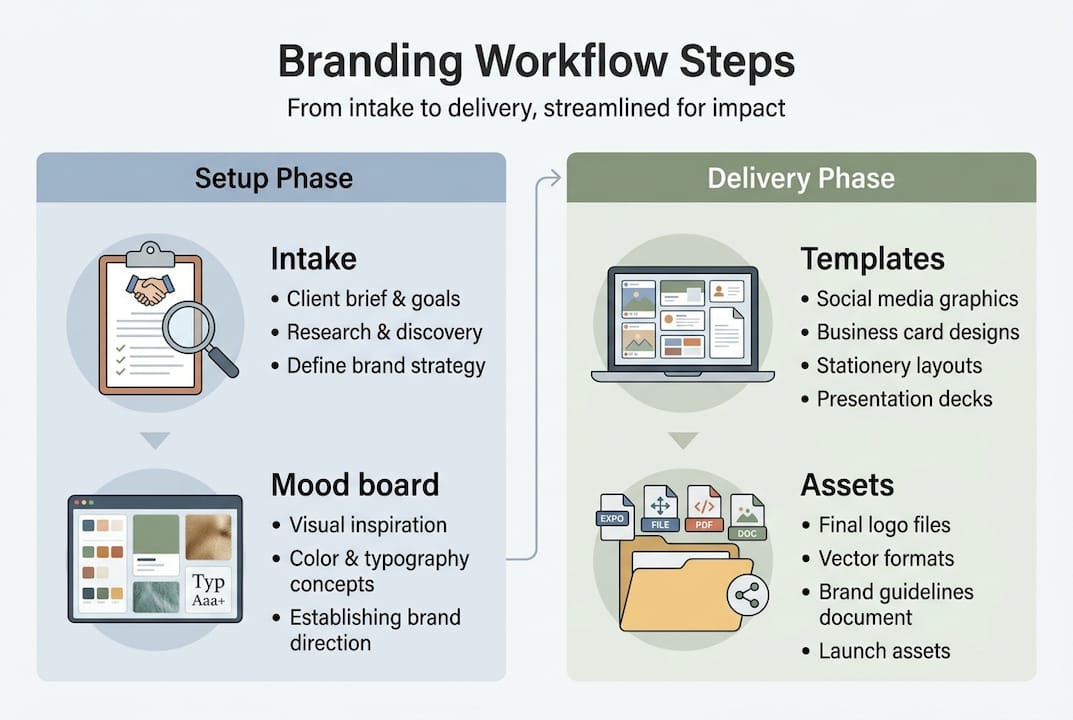
Build templates for every repeatable output: social posts, event graphics, press assets, album art formats, and story templates. Each template should be pre-loaded with your brand colors, fonts, and layout logic. When a new content need arises, you fill in the creative content. You don’t rebuild the structure.
Review your promo visuals best practices regularly and check whether your templates still reflect your current brand direction. Quarterly brand audits are a practical minimum. Set a calendar reminder, pull up your last 30 assets side by side, and ask whether they feel like one cohesive visual story.
Pro Tip: Create a “brand checkpoint” document that lists your current approved fonts, color hex codes, and spacing rules. Paste it into every project file before you start. This single habit eliminates most off-brand drift before it starts.
A strong YouTube workflow guide demonstrates how the same principles apply across platforms: standardize what can be standardized, and reserve your creative decisions for the elements that genuinely differentiate your content.
Iteration is not a sign of weakness in a branding workflow. It is the mechanism by which good brands become great ones. Schedule time to look back at what worked, what consistently needed revision, and what templates have drifted from your intended style.
What most creators miss in visual branding workflows
Here is the uncomfortable truth most workflow guides skip: rigid workflows break, and that is not a failure of discipline. It is a failure of design.
Creators who build workflows around a single tool, a single aesthetic direction, or a single person’s judgment create fragile systems. One platform update, one collaborator departure, or one creative pivot and the entire system seizes up. The brands that sustain impact over time are the ones that build adaptable workflows, not perfect ones.
The “perfection over process” trap is real. Creators invest enormous energy in getting every asset exactly right, and in doing so, they slow their output to a pace that no longer matches their audience’s attention. Iteration beats perfection consistently. A brand that publishes good work regularly and improves it over time outperforms a brand that publishes occasionally but flawlessly.
Most creators also over-customize when they should be templating. Every new project becomes a fresh creative problem when it should be an execution problem. The distinction matters. If you are rebuilding your visual framework from scratch each time, you are not running a workflow. You are running a series of one-off projects that happen to share a name.
Brands that scale successfully, whether a solo musician growing an audience or a visual artist building a licensing business, share one trait: they identify what works, template it, and then free their creativity for the decisions that genuinely require it. The rest follows creative workflow tips and documented processes that don’t depend on any single creative moment going perfectly.
The contrarian take worth sitting with is this: your workflow is not finished when it produces perfect assets. It is finished when it produces consistent assets with predictable effort. That is the version of a workflow that actually scales.
Take your branding to the next level with Orias AI
If you have made it through this guide, you already understand that a great visual branding workflow is not about more effort. It is about better structure, smarter tooling, and cleaner iteration cycles.

Orias AI is built specifically for creators, artists, and visual marketers who need to move fast without losing their visual identity. The platform takes your mood references, rough concepts, and emotional directions and turns them into organized, publish-ready asset packs, complete with variants, templates, and campaign-ready visuals. Your branding does not need to be a grind. With the right AI creative workspace, you can build a consistent, scalable visual identity and spend your energy on the creative decisions that actually matter.
Frequently asked questions
What is a visual branding workflow?
A visual branding workflow is a structured series of steps you follow to design, revise, and maintain consistent branding visuals, covering everything from intake and mood boarding through to final asset delivery.
How do I choose the right tools for my branding workflow?
Start with mood boarding and intake questionnaires to clarify your direction, then select design software or AI tools based on your project volume and technical comfort. Client intake with questionnaires and mood boards before design work are consistently recommended as the foundation.
How many revisions should I allow for branding assets?
Limit revisions to three rounds for efficiency and to avoid endless feedback loops. Logo concepts with 2 to 3 options and a maximum of three revision rounds is a widely used standard for professional brand work.
What’s the benefit of using AI in my workflow?
AI ensures consistent style application and automates repetitive production tasks so you can focus on creative decisions. Hybrid human-AI workflows are identified as optimal for maintaining production-ready brand consistency at scale.
How can I make my branding workflow more scalable?
Use pre-built templates for every repeatable output and automate routine formatting and resizing tasks. Templates that scale personal branding efficiently, combined with regular process reviews, are the most reliable path to a workflow that grows with your output demands.