Explore 10 Inspiring AI Art Styles for Digital Creators
Discover 10 inspiring examples of AI art styles that elevate your digital creations. Choose the right style for your projects with confidence!
TL;DR:
- Selecting the right AI art style requires defining goals, assessing platform strengths, and matching prompts accordingly.
- Popular styles include photorealism, illustration, anime, surrealism, vintage, line art, and hybrid blends for distinctive branding.
- Consistency is maintained with reference images, style templates, LoRAs, and structured workflows across projects.
Every digital artist and visual content creator knows the feeling: you open an AI image tool, face a blank prompt field, and realize you have dozens of style directions to choose from. Photorealism, anime, surrealism, line art, pop art — the options keep expanding. Picking the wrong style for a campaign or release doesn’t just look off; it can undermine your entire brand message.
Table of Contents
- How to evaluate and select AI art styles
- Key examples of AI art styles and their best uses
- AI art style comparison table: Features and ideal scenarios
- Tips for creating consistent and impactful AI-generated visuals
- What most guides miss about harnessing AI art styles
- Discover, experiment, and streamline your AI art workflow
- Frequently asked questions
Key Takeaways
| Point | Details |
|---|---|
| Selection criteria matter | Choosing the right style depends on project goals, customization needs, and licensing. |
| Model strengths vary | Midjourney, DALL-E, Stable Diffusion, and Firefly each excel with different art styles. |
| Customization drives impact | Reference images, LoRAs, and hybrid prompts help maintain style consistency and uniqueness. |
| Abstract styles challenge AI | AI models still struggle with intent and complexity in many abstract or historic styles. |
| Hands-on testing essential | Experimentation with different models and workflows yields the best creative results. |
How to evaluate and select AI art styles
Now that the importance of style selection is clear, it’s essential to have a method for choosing the right AI art style for your next project. Not all styles work on all platforms, and not all models deliver the same output quality for the same aesthetic. A structured approach saves you hours of trial and error.
Here are the five core criteria to apply before committing to a style:
- Define your usage goals. Are you creating commercial assets, editorial content, or personal artwork? Commercial use demands stricter attention to licensing. Editorial work can prioritize visual impact. Personal projects give you maximum creative freedom. Starting with this question narrows your style and tool choices immediately.
- Assess style adaptability and prompt control. Some styles respond beautifully to simple prompts; others need precise, layered instructions. Photorealism and illustration styles tend to respond well to descriptive prompts. Abstract or surrealist outputs often require more iteration and refinement to hit the intended mark.
- Consider technical setup. Open-source platforms like Stable Diffusion give you deep customization through model weights, LoRAs (style embeddings), and fine-tuning. Hosted platforms like Midjourney and DALL-E prioritize ease of use. Knowing your technical comfort level helps you choose the right environment. Reviewing your creative process best practices before choosing tools can also clarify where your bottlenecks actually sit.
- Check licensing and copyright requirements. This is a non-negotiable step for commercial work. Platforms vary significantly: DALL-E prioritizes prompt adherence, Midjourney is highly stylized, Stable Diffusion is customizable, and Firefly is the safest option for commercial use due to its trained-on-licensed-content approach.
- Evaluate platform strengths against your style needs. Each platform has a visual “signature.” Midjourney tends toward polished, painterly outputs. DALL-E 3 handles text-rich prompts and natural language instructions particularly well. Stable Diffusion allows the most control but requires more setup.
Pro Tip: Don’t settle on a single style engine for your entire workflow. Hybrid approaches — running a concept through one model and refining it in another — often produce the most distinctive, brand-specific results.
Key examples of AI art styles and their best uses
With evaluation criteria in mind, let’s explore the standout AI art styles you can experiment with today. Each style has a distinct visual character, and knowing where it shines and where it stumbles is half the battle.
- Photorealism. This is the default strength of most modern AI image tools. Photorealism produces outputs that closely resemble photographs, making it ideal for product mockups, editorial visuals, and promotional imagery. Midjourney and DALL-E both excel here. The risk is that hyper-polished realism can feel generic if it lacks compositional intent.
- Illustration and digital painting. A versatile style that spans everything from children’s book art to concept art for games and films. Stable Diffusion with the right LoRA delivers rich, detailed illustrations. This style is great for storytelling campaigns and character-driven content.
- Anime and manga. One of the most popular AI art categories globally. Anime-style outputs work well for merchandise, fan content, social media campaigns, and music releases aimed at younger audiences. Stable Diffusion models trained on anime datasets like anything-v5 or MeinaMix produce the strongest results.
- Surrealism. Surrealist AI art generates dreamlike, emotionally charged imagery. It’s particularly powerful for album art, editorial covers, and brand visuals where you want to provoke a reaction rather than communicate a literal message. The prompt complexity is higher, but the payoff is significant for campaigns that need to stand out.
- Vintage and retro. This style mimics the visual language of specific eras — 1970s grain, 1950s advertising illustration, or 1980s neon. Brands and musicians use it to signal nostalgia or subculture affiliation. It performs well across most platforms when combined with strong color palette prompting.
- Line art and sketch. Clean, minimal, and versatile for logos, icons, and brand assets. Line art is surprisingly difficult for AI models to generate consistently, but Stable Diffusion with line art LoRAs handles it well. Great for merchandise and packaging design.
- Cubism and geometric abstraction. Here’s where AI models start to show their limits. As noted in research on AI model limitations, style transfer is powerful for color and texture but falters on complex geometric structures. Cubism requires human creative intent to guide the output toward coherent compositional logic; AI alone often produces fragmented, visually noisy results.
- Abstract art. Abstract styles give you maximum visual freedom, but they also demand the clearest prompts. Without specific direction on color, texture, and mood, abstract outputs tend toward chaotic compositions that lack intentional impact. Use them for backgrounds, textures, and supporting visual elements rather than hero images.
- Pop art. Bold colors, graphic outlines, and cultural references make pop art a strong choice for social media content, campaign visuals, and merchandise. It’s one of the more forgiving styles for prompt experimentation.
- Style transfer hybrids. Mixing two or more styles, such as photorealism with a watercolor texture overlay or anime character design with surrealist backgrounds, is where truly distinctive creative identities get built. Platforms that support LoRAs for style consistency allow you to lock in hybrid combinations and replicate them across a full campaign. This approach is particularly effective for artists building a signature aesthetic for visual storytelling ideas across multiple content pieces.
A key limitation to keep in mind: diffusion models excel at global composition but may struggle with abstract intentions, particularly when the style requires culturally specific or historically nuanced visual logic. This is a meaningful constraint when working with non-Western art traditions or complex historical movements.
Pro Tip: When prompting for style hybrids, name both styles explicitly in your prompt and add a weighting modifier if your platform supports it. For example, “anime character, surrealist background, 70% anime 30% Salvador Dali” gives the model clearer direction than a blended description. Also check out promo visuals guide for specific ideas on applying these styles to release campaigns.
AI art style comparison table: Features and ideal scenarios
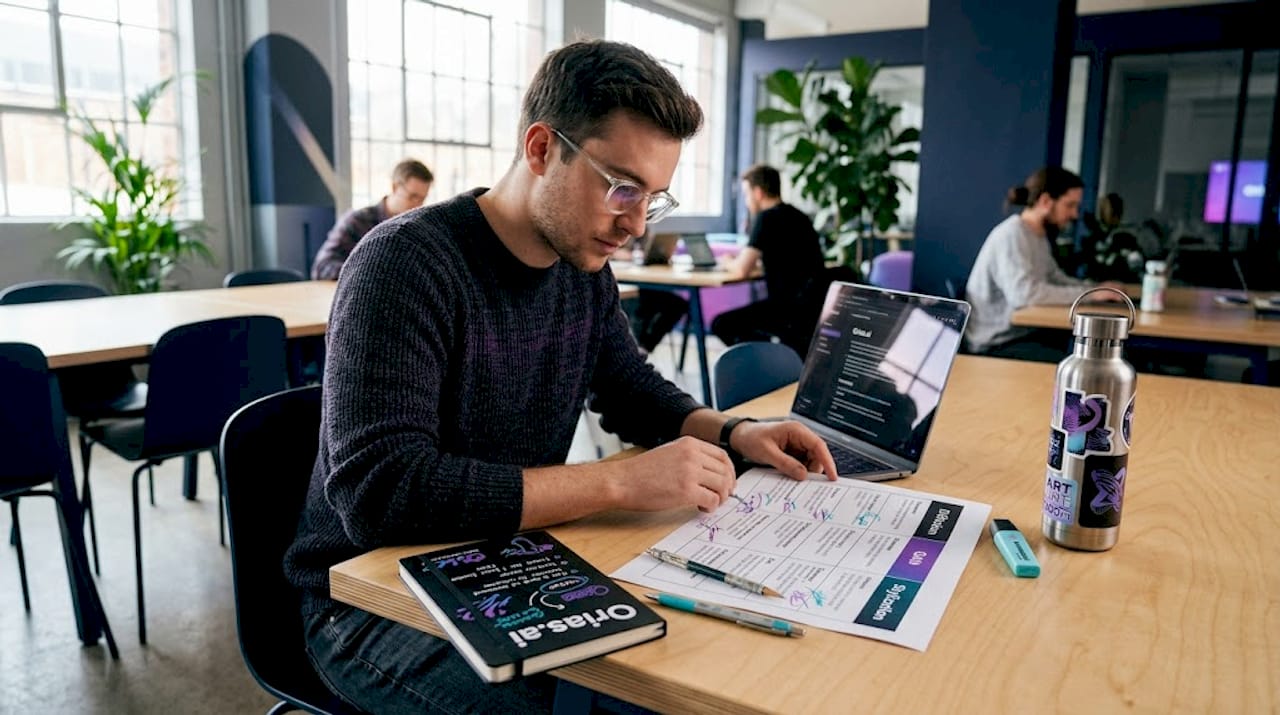
To help you make sense of all these style options, here’s a table comparing their main attributes and best-use scenarios. A comparison of DALL-E, Midjourney, Stable Diffusion, and Firefly shows that each platform has distinct strengths that map directly to style categories.
| Style | Best Platform | Typical Output | Customization Level | Best Use Case |
|---|---|---|---|---|
| Photorealism | Midjourney, DALL-E 4 | High-detail photo-like images | Medium | Product visuals, editorial |
| Illustration | Stable Diffusion | Rich painted artwork | High | Campaigns, storytelling |
| Anime/Manga | Stable Diffusion | Stylized character art | Very High | Music releases, merch |
| Surrealism | Midjourney, Stable Diffusion | Dreamlike compositions | Medium | Album art, brand identity |
| Vintage/Retro | All platforms | Nostalgic, era-specific visuals | Medium | Social content, branding |
| Line Art | Stable Diffusion | Clean, minimal line work | High | Icons, logos, packaging |
| Cubism | Stable Diffusion with LoRA | Geometric, fragmented forms | High | Experimental, art projects |
| Abstract | Any | Textural, non-representational | Low to Medium | Backgrounds, supporting art |
| Pop Art | DALL-E, Midjourney | Bold graphic visuals | Low to Medium | Social media, campaigns |
| Style Transfer Hybrids | Stable Diffusion | Unique blended aesthetics | Very High | Signature brand visuals |
A strong structured workflow for artists makes this table more than just a reference. When you build style choices into your project planning phase, you avoid mid-project pivots that cost time and visual coherence.
Tips for creating consistent and impactful AI-generated visuals
After comparing style options, it’s important to know how to keep your AI-generated visuals consistent and impactful over time. Stylistic drift across a campaign is one of the most common quality issues creators face, and it’s largely preventable.
Here are the most effective practices for maintaining visual consistency:
- Use reference images alongside text prompts. Most platforms allow you to upload a reference image and use it to anchor the model’s visual direction. This dramatically reduces variation between outputs, especially across a multi-piece campaign. Reference images and LoRAs are the most reliable tools for consistency in Stable Diffusion workflows, and Firefly remains preferred for safe licensing in commercial contexts.
- Build and save style prompt templates. If you find a prompt that produces the aesthetic you want, save it as a template. Document the seed number if your platform supports it. This creates a repeatable starting point for every new asset in the series.
- Apply LoRAs for signature style locking. LoRAs, or Low-Rank Adaptation models, are small style embeddings you can apply within Stable Diffusion to pull outputs toward a specific visual identity. Think of them as style presets with deeper influence than a keyword. They’re particularly useful for maintaining a consistent character design or color palette across dozens of outputs.
- Balance automation with manual refinement. AI handles the heavy lifting, but the creative judgment is yours. After generating a batch of outputs, select the strongest candidates and refine them manually using tools like Photoshop or Procreate before publishing. Automation accelerates iteration; manual refinement ensures quality.
- Maintain a style guide document for AI campaigns. Log which styles, prompts, reference images, and model settings you use for each project. This is especially important for AI visuals for music releases or any project where visual consistency is core to the brand identity. Pair this with a clear project workflow with AI and you’ll cut revision time significantly.
Pro Tip: Generate visual assets in batches of 6 to 10 at a time using the same prompt and settings. Reviewing a batch together reveals patterns and outliers much more clearly than evaluating single outputs one at a time. It also trains your eye faster for what the model responds to in that style.
What most guides miss about harnessing AI art styles
Most articles on AI art styles focus on the “how” — which model to use, which keywords to add, which style produces the best results. That’s useful, but it misses the more strategic question: what are you building over time?
Trend-chasing is the biggest trap in AI art for creators. When a new style goes viral, dozens of creators rush to replicate it, and the look quickly becomes noise. The creators who build lasting visual identities use AI differently. They treat the tool as a style engine for developing something proprietary, not just a shortcut to what’s popular right now.
The research backs this concern. AI tends toward hyperrealism, and historical or abstract styles often fall short without deeper creative intent guiding the process. Models genuinely struggle with art traditions that require cultural understanding, compositional philosophy, or emotional context that can’t be captured in a keyword. Cubism, Naïve Art, and non-Western visual traditions are particularly challenging. This is not just a technical limitation; it’s an invitation for human creative direction to lead.
The artists who get the most from AI are the ones who know what they want to say before they touch a prompt. They use AI to execute and iterate on a visual identity they’ve already defined. This is fundamentally different from scrolling through style examples and hoping something fits.
Brand voice consistency matters more than model novelty. Switching models and styles constantly because a new one launched creates visual incoherence over time. Your audience builds recognition through repetition. The more consistent your visual language — even if it evolves gradually — the stronger your brand becomes. Consider developing storytelling ideas with AI as a starting point for building a longer-term visual narrative rather than one-off pieces.
The most underutilized approach in AI art is deliberate constraint. Choose two or three style elements you want to own, apply them consistently across projects, and use AI to generate variations within that constraint. That’s how you build a recognizable visual signature with AI tools rather than just a portfolio of style experiments.
Discover, experiment, and streamline your AI art workflow
If you’re ready to put these techniques into practice with a purpose-built tool, consider this solution:
Picking the right AI art style is only half the equation. The other half is having a workspace that lets you iterate quickly, maintain consistency, and produce publish-ready assets without switching between five different tools. That’s the gap most standalone AI image generators leave open.

Orias AI gives creators a structured environment to test styles, refine visual directions, and export complete asset packs built around your project’s identity. Whether you’re developing a music release, a campaign drop, or an ongoing content series, the platform supports the full creative arc from initial concept to finished promo materials. Style consistency isn’t an afterthought — it’s built into the workflow. If you’re serious about building a distinctive visual identity with AI, this is where the process becomes manageable and repeatable.
Frequently asked questions
Which AI model is best for highly stylized art styles?
Midjourney suits creatives seeking polished, highly stylized outputs, while Stable Diffusion provides the deepest style customization through LoRAs and model fine-tuning. Your choice depends on whether you prioritize ease of use or technical control.
How do I ensure consistency in AI art style across multiple images?
Use reference images and LoRAs for style matching and keep your prompts structured closely around a saved template. Stable Diffusion offers the most granular control for multi-image consistency.
Can I use AI-generated art for commercial projects safely?
Yes, but licensing terms vary by platform. Firefly is safest for commercial use because Adobe trained it on licensed content, reducing copyright exposure significantly compared to other models.
Why do AI models struggle with certain historical or abstract art styles?
AI tends toward hyperrealism over historically nuanced styles, and complex abstracts like Cubism challenge models because they require compositional intent that goes beyond surface-level visual pattern matching.
What’s a quick way to experiment with multiple AI art styles?
Try hybrid mixing of style prompts on platforms that support custom LoRAs or open model blending. Testing style hybrids is the fastest path to discovering a unique visual direction that doesn’t look like everyone else’s output.