By Orias AI
Creative Regression Testing: Keeping AI Outputs Consistent After Prompts, Models and Templates Change
Regression test AI prompts, models and creative templates so visual direction, tone, structure and output quality stay consistent as your workflow changes.

TL;DR:
- Creative regression testing means rerunning a small set of representative tasks whenever you change an AI model, prompt, template, reference setup, or important generation setting.
- Compare the new outputs with a trusted baseline for direction, specificity, consistency, structure, restraint, and real-world usability instead of asking only whether the new result looks good.
- Change one variable at a time, keep examples of outputs that worked, and review regressions before the new setup becomes part of your everyday creative workflow.
You finally get an AI workflow behaving the way you want.
The campaign concepts are specific.
The image prompts produce the right atmosphere.
Your artist bio sounds like you.
A release pack comes back with the right balance of hero visuals, social ideas, captions, and supporting material.
Then you change something.
Maybe there is a newer model.
Maybe you clean up the prompt, add another reference, change an output template, or update the instructions that hold the whole workflow together.
Nothing looks obviously broken.
That is the problem.
The outputs are still competent, but they are slightly different. Captions become cleaner and more generic. The image direction gets prettier but less distinctive. Concepts become longer. A constraint that used to work reliably starts getting ignored.
One small change at a time, the creative system drifts.
Creative regression testing gives you a practical way to catch that drift.
The idea comes from software testing: after changing something that already works, rerun familiar cases and check whether an important behavior got worse.
For creators, musicians, visual storytellers, and creative teams, the same logic can protect tone, visual language, campaign structure, formatting, specificity, and other qualities that are easy to lose when an AI workflow evolves.
It does not mean turning creativity into a spreadsheet.
It means knowing which parts of a working system are worth preserving before you change it.
Table of Contents
- Key Takeaways
- The Problem Is Not Bad Prompts, It Is Silent Drift
- Build a Creative Baseline Before You Change Anything
- Test One Moving Part at a Time
- Score What Creators Actually Care About
- Turn Regression Testing Into a Release Habit
- When the New Version Is Better but Wrong for Your Project
- Keep the Creative Thread Intact With Orias AI
- Frequently Asked Questions
- Sources Used
Key Takeaways
| Point | Details |
|---|---|
| Keep a fixed baseline | Save representative prompts, inputs, references, settings, and accepted outputs before changing the workflow. |
| Change one thing at a time | Do not replace the model, rewrite the prompt, and redesign the template in the same test. You will not know what caused the difference. |
| Test creative qualities | Tone, visual coherence, specificity, composition, restraint, brand fit, and editability can matter as much as technical correctness. |
| Compare old and new side by side | Pairwise comparison makes subtle creative drift easier to notice than judging a new output on its own. |
| Keep human review | Automated checks can catch formatting and instruction failures, but taste, originality, context, and creative fit still need human judgment. |
| Version important prompts | Treat production prompts and templates as working assets so successful behavior can be compared, restored, and improved deliberately. |
The Problem Is Not Bad Prompts, It Is Silent Drift
Creative AI rarely fails only by producing something obviously terrible.
More often, it drifts.
Imagine an independent musician has a working release workflow.
They feed in a track description, a handful of visual references, notes about the artist identity, and a campaign brief.
The workflow produces:
- A core visual direction
- Cover-art concepts
- Press-image ideas
- Short-form promo concepts
- Launch captions
- A small family of supporting visuals
Then the underlying model changes.
The newer model may be stronger overall, but that does not mean it will interpret the existing workflow in exactly the same way.
It might follow instructions more literally. It might produce more detail. It might prefer cleaner compositions. A prompting pattern that worked well with the previous model may no longer create the same balance.
Model providers document migration and evaluation practices for this reason.
OpenAI's current model guidance recommends establishing a baseline, changing the model before rewriting the prompt, running evaluations, and then making incremental prompt adjustments if regressions appear.
OpenAI also recommends treating production prompts more like application code, with representative test cases, version control, review, and evaluation around changes.
The useful question is not, "Is the new model better?" It is, "Does the new version still do the things this creative workflow depends on?"
Those are very different questions.

Build a Creative Baseline Before You Change Anything
You need something stable to compare against.
For a creative workflow, your baseline does not need hundreds of examples.
Start with a compact set of cases that represent the work you genuinely produce.
A musician might keep test briefs for a dark electronic single, an intimate acoustic release, a high-energy collaboration, a tour announcement, a press-photo concept, and a larger album campaign.
A visual storyteller might test portrait direction, conceptual editorial imagery, storyboard generation, campaign expansion, reference analysis, and caption writing.
A creative team should include both normal briefs and difficult cases where the system has historically struggled.
Save the Exact Input
Keep the brief, references, variables, and instructions intact.
If your template contains placeholders for artist name, campaign goal, platform, visual mood, asset type, or audience, store the filled version that was actually tested.
Record the Model and Settings
Record the model, relevant generation settings, tool configuration, reference handling, and anything else that could materially change the result.
This matters because a model migration can also involve differences in reasoning settings, verbosity, tool behavior, or other configuration.
Keep the Accepted Result
Save outputs you would genuinely have been comfortable using after normal creative editing.
Not a theoretically perfect answer.
A useful one.
For visual work, keep the selected image together with the prompt and important references behind it.
For writing, save the complete result rather than only a few favorite sentences.
Write Down Why It Worked
This is the part people often skip.
Write down the qualities you are trying to protect.
- Feels cinematic without looking like a movie poster.
- Keeps the artist mysterious instead of explaining everything.
- Turns one concept into genuinely different asset formats.
- Uses short captions and does not over-explain.
- Maintains the pale blue-gray visual language across variations.
Now you have actual criteria instead of relying on memory and instinct alone.
Test One Moving Part at a Time
Suppose you change three things at once.
- You switch models.
- You rewrite the main creative-direction prompt.
- You redesign the output template.
The new results feel weaker.
What caused it?
You do not know.
The cleaner approach is to isolate the changes.
First, run the original prompt and template on the new model.
Compare.
Then keep the new model and change the prompt.
Compare again.
Then test the new template.
This follows the same logic used in formal model evaluation. OpenAI's model migration guidance recommends changing the model first while keeping the prompt functionally identical, establishing a baseline, and then adjusting one part of the setup at a time.
| Version | Model | Prompt | Template | Main Observation |
|---|---|---|---|---|
| Baseline | A | v3 | v2 | Strong visual specificity |
| Test 1 | B | v3 | v2 | Better detail, weaker restraint |
| Test 2 | B | v4 | v2 | Restraint restored |
| Test 3 | B | v4 | v3 | Asset structure improved |
Suddenly the change is understandable.
And reversible.
Score What Creators Actually Care About
Traditional evaluation can measure things such as factual accuracy, formatting, instruction following, schema compliance, and whether required information appears.
Creative work needs another layer.
You also need to ask whether the result still serves the creative direction.
Use Hard Checks for Binary Requirements
Some tests are straightforward:
- Did the output include five asset ideas?
- Did it avoid prohibited words or themes?
- Did it return the requested fields?
- Did it stay inside the required length?
- Did it preserve required campaign information?
- Did it avoid inventing factual details?
These are good candidates for automated evaluation.
OpenAI's Evals tooling supports reusable testing criteria that can be run across different models and configurations.
Google Cloud's generative AI evaluation tools similarly support pointwise and pairwise evaluation approaches for comparing outputs against defined criteria or a baseline.
Use a Creative Rubric for Subjective Quality
The subjective part can still be made more concrete.
Try a simple 1 to 5 review across criteria that matter to the project.
| Criterion | What You Are Checking |
|---|---|
| Direction | Does the output clearly reflect the intended concept? |
| Specificity | Could this belong to this creator, or could it belong to almost anyone? |
| Consistency | Does it stay inside the established visual or verbal world? |
| Variation | Are the options genuinely different without losing the core identity? |
| Restraint | Does the model know what not to add? |
| Usability | Can the result realistically move into production with normal editing? |
Do not obsess over the number itself.
The note beside the score is usually more valuable.
"New version repeatedly replaces concrete photographic direction with generic terms such as cinematic, premium, and atmospheric."
That tells you what actually changed.
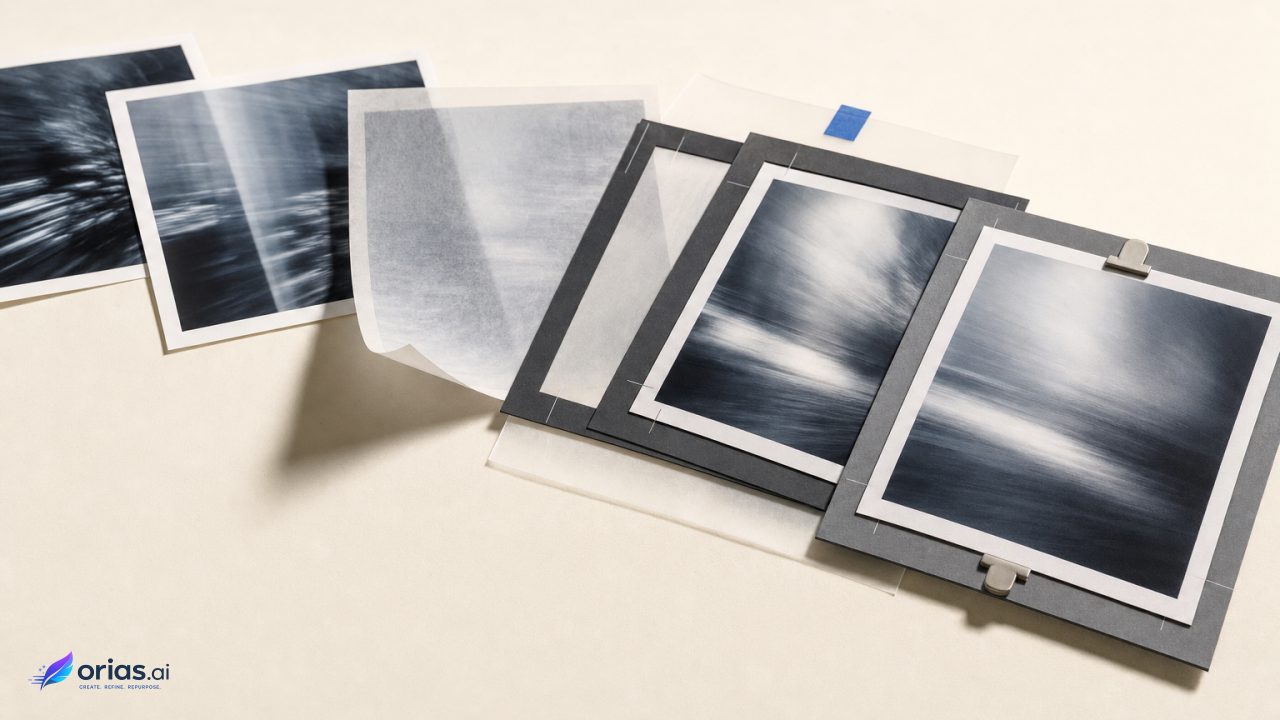
Compare Old and New Side by Side
When possible, hide which result came from which version.
Then ask:
- Which output better preserves the brief?
- Which feels more specific?
- Which requires less corrective editing?
- Which stays closer to the established visual system?
- Which would you actually publish?
Pairwise evaluation is also used in formal AI evaluation systems.
Google Cloud's Vertex AI evaluation tools, for example, support direct comparison between candidate and baseline responses.
For creative work, the same technique is useful even without sophisticated evaluation infrastructure.
Two outputs next to each other often reveal a difference that was hard to describe when the newer result was viewed alone.

Turn Regression Testing Into a Release Habit
You do not need to run a large evaluation every morning.
Run it when something meaningful changes.
Useful triggers include:
- Changing the underlying AI model
- Significantly rewriting a system or creative-direction prompt
- Adding or removing examples
- Changing a reusable creative template
- Changing how references are supplied
- Updating image-generation instructions
- Modifying output structure
- Introducing another AI tool into the workflow
For a solo creator, the test might involve five trusted briefs and a simple comparison document.
For a larger team, it can become a proper review stage before a shared prompt, template, or model configuration is changed for everyone.
Keep a Small Golden Set
Your golden set is simply the group of examples you do not want to break.
Do not fill it only with easy prompts.
Include awkward cases too.
If an image workflow often overuses faces, include a prompt where the scene must remain object-led.
If your writing workflow tends to become promotional, include a restrained editorial brief.
If campaign generators keep producing five versions of essentially the same social post, include a test that requires clearly different formats and creative jobs.
Pro Tip: Whenever you discover a particularly frustrating failure in real work, add that brief to the regression set. Your tests should slowly become a record of lessons you have already paid for.
OpenAI's current prompting guidance follows a similar engineering principle: production prompt changes should be covered by representative test data and evaluation checks rather than being changed blindly.
When the New Version Is Better but Wrong for Your Project
This is where creative regression testing gets interesting.
A newer system can clearly produce more sophisticated work and still be worse for one particular creative identity.
Maybe its descriptions are richer, but your visual language depends on restraint.
Maybe it generates broader ideas, but the artist's identity depends on controlled repetition and recognizability.
Maybe it produces polished campaign structures, but the project is deliberately trying to avoid the feeling of conventional marketing.
General model capability and creative fit are not the same thing.
You have several options.
- Adjust the prompt so the important constraints are more explicit.
- Keep an older workflow for one specific creative job while using the newer model elsewhere.
- Change a generation or reasoning setting.
- Split one large template into smaller stages.
- Add stronger references or examples.
- Accept the variation and plan for more human editing.
Anthropic's current prompting documentation also treats model migration as something that may require prompt adjustment rather than assuming prompts will behave identically across generations.
The goal of regression testing is not to freeze your creative system forever.
It is to make change intentional.
Automated graders can help with scale, formatting, instruction following, and other defined criteria.
But creative judgment still depends on context.
An output can pass every structural check and still feel completely wrong for the artist.
Your taste is part of the test suite.
Keep the Creative Thread Intact With Orias AI
Creative work rarely ends with one prompt.
A rough thought can move through references, mood, visual direction, generated material, refinement, copy, campaign assets, and publishing.
Orias AI is built around that wider creative process, helping creators turn early ideas, references, moods, and concepts into clearer visual worlds, promo assets, release visuals, campaign material, and more complete creative packs.
That continuity becomes especially useful when an AI-assisted workflow changes.
Instead of treating every output as an isolated generation, keep the original creative direction visible.
Compare new variations against the mood you established.
Review assets as a family instead of judging each image on its own.
Notice when a technically stronger result has wandered away from the character of the project.
AI-generated work still needs human selection, refinement, consistency checks, rights review, platform-specific adjustments, and final approval.
The point is not perfect repetition.
It is being able to explore new possibilities without accidentally losing the thing that made the creative direction recognizable in the first place.
Frequently Asked Questions
What Is Creative Regression Testing?
Creative regression testing is the practice of rerunning representative creative tasks after changing an AI model, prompt, template, reference setup, or important configuration.
The new outputs are compared with an established baseline to catch unwanted changes in creative quality or behavior before the updated workflow becomes the default.
How Many Test Prompts Do I Need?
You can start small.
Five to ten representative cases can be more useful than a large collection of random prompts.
Choose examples that cover normal work, important edge cases, and situations where your workflow has failed before.
Should AI Output Be Exactly the Same Every Time?
No.
Generative systems naturally produce variation, and creative work often benefits from it.
Test for stable qualities such as direction, tone, composition rules, specificity, required structure, and brand fit rather than identical wording or identical pixels.
Can Regression Testing Work for AI-Generated Images?
Yes.
Keep reference outputs and compare composition, subject consistency, palette, lighting, styling, unwanted elements, visual hierarchy, and adherence to the original brief.
Visual review usually needs more human judgment than simple format or schema checks.
Should I Rewrite My Prompts When I Switch AI Models?
Not immediately.
First test the existing prompt with the new model so you can see what the model change actually did.
If you change the model and rewrite the prompt at the same time, it becomes much harder to understand the cause of any improvement or regression.
What Is the Biggest Mistake in AI Regression Testing?
Testing only the examples you expect to succeed.
Some of the most useful regression cases come from previous failures: generic copy, inconsistent characters, repetitive concepts, ignored constraints, broken formats, weak reference adherence, or visuals that drifted away from the established direction.
Do Independent Creators Really Need Regression Testing?
Not at enterprise scale.
A simple folder containing a few trusted prompts, references, accepted outputs, model settings, and short notes about why each result worked can be enough.
When something changes, rerun those examples before rebuilding your entire creative workflow around the new setup.
Sources Used
- OpenAI, Model Guidance and Migration Best Practices
- OpenAI, Evals API Reference
- OpenAI, Prompting Guide
- Google Cloud, View and Interpret Generative AI Evaluation Results
- Google Cloud, Evaluate Gen AI Models With Vertex AI and LLM Comparator
- Anthropic, Prompting Best Practices and Migration Considerations
- Orias AI