By Orias AI
Context Packs for AI: Giving the Model Better Inputs Before Generation
Build AI context packs with references, mood, constraints, and creative direction before generating visual assets.

TL;DR:
- A context pack is a structured creative brief for AI: it gives the model your idea, mood, references, constraints, audience, format needs, and review criteria before generation begins.
- Better context usually leads to clearer, more consistent outputs because the model has less ambiguity to fill in on its own.
- The practical takeaway: stop writing one-line prompts and start preparing reusable context packs for each project, release, campaign, or visual world.
Most weak AI-generated creative work does not fail because the tool is useless. It fails because the input is too thin.
A creator types a sentence like “make a cool album cover” or “create a cinematic promo image,” then wonders why the result feels generic, disconnected, or visually impressive but emotionally wrong. The model had to invent the missing context: genre, mood, audience, references, visual rules, format, symbolism, platform use, and what “cool” actually means for that specific artist.
Context packs solve that problem. Instead of treating AI generation as a guessing game, they turn your creative direction into a usable system. For independent artists, musicians, designers, visual storytellers, and creative teams, this means fewer random outputs and more intentional variations that actually belong to the project.
This guide explains how to build context packs before generation, what to include, how to use them across visual assets, and how to avoid the mistakes that make AI-assisted work feel flat or off-brand.
Table of Contents
- Key Takeaways
- What a Context Pack Actually Does
- The Six Ingredients of a Strong AI Context Pack
- Turn References Into Direction, Not Decoration
- Build the Pack Around the Asset System
- Use Constraints to Protect the Creative Voice
- A Practical Context Pack Template for Creators
- Review the Output Against the Pack
- How Orias AI Fits Into This Workflow
- Frequently Asked Questions
- Sources Used
Key Takeaways
| Point | Details |
|---|---|
| Context is creative direction | A context pack tells the AI what the work is about, who it is for, how it should feel, and what it must avoid. |
| References need interpretation | Do not only upload or describe references. Explain what each reference contributes: lighting, texture, composition, mood, palette, or pacing. |
| Constraints improve consistency | Format rules, negative prompts, brand boundaries, and platform needs help prevent random or unusable results. |
| One pack can guide many assets | A strong context pack can support release artwork, social teasers, banners, thumbnails, CTA backgrounds, and campaign variations. |
| Human review is still essential | AI can generate options quickly, but creators still need to judge originality, taste, rights, accessibility, and platform fit. |
| Context packs become reusable systems | Over time, they form a creative memory for your visual identity, campaigns, launches, and recurring content formats. |
What a Context Pack Actually Does
A context pack is a structured set of inputs prepared before AI generation. It can include a creative brief, mood direction, visual references, audience notes, format requirements, constraints, negative prompts, platform needs, and review criteria.
OpenAI’s prompt engineering guidance describes prompt engineering as writing effective instructions so a model can generate content that better matches the user’s requirements. It also notes that context and clear instructions are important for better results.
For creative work, this matters because AI models are not mind readers. They can generate polished-looking output from a vague prompt, but polish is not the same as direction. A shiny image can still be wrong for the artist, campaign, release, audience, or platform.
A context pack gives the model a smaller, clearer creative target. Instead of asking for “a bold visual,” you define what bold means in your world: sharp contrast, minimal composition, brutalist typography references, cold industrial textures, no neon glow, no fantasy elements, and enough negative space for release copy.
That difference changes the workflow. You are no longer asking AI to invent your taste. You are asking it to explore within a taste system you have already defined.
The Six Ingredients of a Strong AI Context Pack
A useful context pack does not need to be long. It needs to be specific. The goal is not to overload the model with random details, but to give it the right creative signals.
1. Project purpose
Start with the reason the asset exists.
Is this for a single release? A tour announcement? A product launch? A YouTube thumbnail system? A landing page hero? A social teaser campaign?
Purpose shapes composition. A release artwork may need a strong emotional symbol. A CTA background may need more negative space. A thumbnail may need faster visual readability. A Spotify Canvas has different demands again: Spotify’s Canvas guidance emphasizes short looping visuals and notes that phone screen size matters because edges may be cut off on some devices.
Write the purpose in one direct sentence:
This context pack is for a visual system supporting an independent artist’s dark electronic single release, including cover art, vertical teasers, short looping motion ideas, and campaign backgrounds.
2. Core idea
This is the emotional or conceptual center of the project.
Weak input:
Make it cinematic and futuristic.
Stronger input:
The visual world should feel like someone preserving a private memory inside a cold machine: intimate, tense, elegant, and slightly damaged.
The second version gives the AI a metaphor to work from. It can influence materials, lighting, spatial choices, symbols, and atmosphere.
3. Audience and positioning
AI output becomes more focused when it understands who the work is trying to reach.
For artists and musicians, this does not mean reducing your work to demographics. It means clarifying cultural context. Is the audience drawn to underground club visuals, soft poetic storytelling, polished pop campaigns, raw documentary realism, or surreal editorial imagery?
YouTube’s creator resources frame content strategy as something that should evolve with the creator’s vision and audience growth, which is a useful reminder: creative assets should not only look good in isolation; they should support a larger audience relationship.
4. Visual language
This is where you define the look without turning the prompt into a random adjective pile.
Include:
- lighting
- color behavior
- composition
- texture
- camera style
- material world
- level of realism or abstraction
- typography needs, if relevant
- negative space requirements
For example:
Premium dark studio, soft directional side light, matte tactile surfaces, restrained composition, symbolic central object, muted metallic palette, no readable text, no logos, no screens.
This kind of visual language is especially useful when you want several assets to feel like one campaign rather than separate AI experiments.
5. Constraints and exclusions
Constraints prevent drift. They tell the model what not to do.
For creative AI work, exclusions are not just technical “negative prompts.” They are taste boundaries.
Examples:
- no readable text
- no fake logos
- no celebrity likenesses
- no cluttered desk
- no futuristic dashboard
- no generic AI glow
- no random geometric blocks
- no exaggerated hands
- no platform UI unless required
- no imitation of a living artist’s exact style
This is also where ethical and rights-related guidance belongs. Adobe’s Content Credentials initiative describes provenance metadata as a way to help show attribution and information about how work was made, which reflects a wider industry concern: creators need more transparency around digital content and AI-assisted workflows.
6. Success criteria
Before generation, define what a good output must achieve.
For example:
| Criterion | What to check |
|---|---|
| Mood fit | Does it match the emotional tone of the project? |
| Brand fit | Could this belong to the artist’s visual world? |
| Format fit | Does it work for the intended crop or placement? |
| Clarity | Is there a clear focal point? |
| Reusability | Can this become a campaign system, not just one image? |
| Safety | Are there rights, likeness, text, or platform issues? |
Success criteria make review easier because you are not judging outputs based only on first impression.

Turn References Into Direction, Not Decoration
References are powerful, but only when you explain what they mean.
Many creators give AI a list of references and expect the model to understand the creative logic behind them. That often produces confused output. One reference may be about lighting, another about texture, another about emotional tone, and another about layout. If you do not separate those signals, the model may blend everything into a vague imitation.
A better approach is to label the function of each reference.
Reference breakdown example
| Reference Type | What It Contributes |
|---|---|
| Album artwork reference | Sparse composition and emotional restraint |
| Fashion editorial reference | Soft directional light and tactile fabric detail |
| Architecture reference | Brutalist structure and negative space |
| Film still reference | Color temperature and quiet tension |
| Social campaign reference | Crop logic for vertical teasers |
This helps the model understand that you are not asking it to copy a reference. You are asking it to borrow specific creative principles.
That distinction matters for originality. A context pack should not say, “Make this like [artist/designer/photographer].” It should say, “Use low-key lighting, asymmetrical composition, muted contrast, and a solitary focal object.” The second version gives direction without leaning on imitation.
Build the Pack Around the Asset System
One of the biggest mistakes creators make is generating one asset at a time with no shared system.
They create a cover image. Then a vertical teaser. Then a banner. Then a thumbnail. Each prompt changes slightly. Each output looks interesting, but the campaign does not hold together.
A better workflow is to design the context pack around the full asset family from the beginning.
For a music release, that might include:
- square release artwork
- vertical teaser image
- short looping visual direction
- profile banner
- story background
- announcement post
- pre-save or release-day CTA visual
- thumbnail or playlist pitch asset
For a creator campaign, that might include:
- landing page hero image
- feature section visual
- social teaser
- email header
- YouTube thumbnail
- short-form video cover
- final CTA background
TikTok’s Creative Center is designed to help advertisers and creators explore high-performing ads, viral videos, and trending hashtags across regions and verticals, which reinforces a practical point: platform context affects creative decisions.
A context pack should therefore define both the shared world and the format-specific needs.
Shared world
This is what stays consistent:
- mood
- lighting
- symbolic language
- texture
- palette
- visual rhythm
- brand personality
Format adaptation
This is what changes:
- crop
- focal scale
- negative space
- hierarchy
- motion potential
- text-safe zones
- platform ratio
- level of detail
A strong campaign does not repeat the same image everywhere. It adapts one world intelligently.
Use Constraints to Protect the Creative Voice
Creators often worry that AI will make their work feel generic. That risk is real when the workflow depends on vague prompts and unfiltered outputs. But AI does not erase creative voice by itself. Weak direction does.
Constraints protect taste.
For example, an independent musician might define:
The visual world should feel intimate, nocturnal, and handmade. Avoid glossy tech aesthetics, luxury fashion clichés, neon cyberpunk, and overly perfect faces.
A visual storyteller might define:
Use quiet surrealism, tactile objects, and symbolic composition. Avoid literal storytelling, fantasy landscapes, obvious metaphors, and text-heavy layouts.
A creative team might define:
Maintain a premium editorial feel across every asset. Use restrained contrast, clear focal hierarchy, and generous copy space. Avoid clutter, stock-photo energy, and exaggerated AI effects.
These constraints help AI stay inside the project’s creative boundaries.
They also support responsible review. Google’s AI safety material emphasizes that human review remains important for nuanced cases, even when AI systems help at scale. For creators, the same principle applies at a smaller scale: AI can generate options, but human judgment decides what is appropriate, original, and publishable.
A Practical Context Pack Template for Creators
Use this template before generating visuals, campaign concepts, prompts, or creative packs.
Project Snapshot
- Project name:
- Asset purpose:
- Artist / brand / creator identity:
- Audience context:
- Primary platform or placement:
- Secondary formats needed:
Creative Core
- One-sentence concept:
- Emotional tone:
- Story or metaphor:
- What the viewer should feel:
- What the work should not feel like:
Visual Direction
- Lighting:
- Color behavior:
- Texture and materials:
- Composition:
- Camera / rendering style:
- Level of realism:
- Symbolic elements:
- Negative space needs:
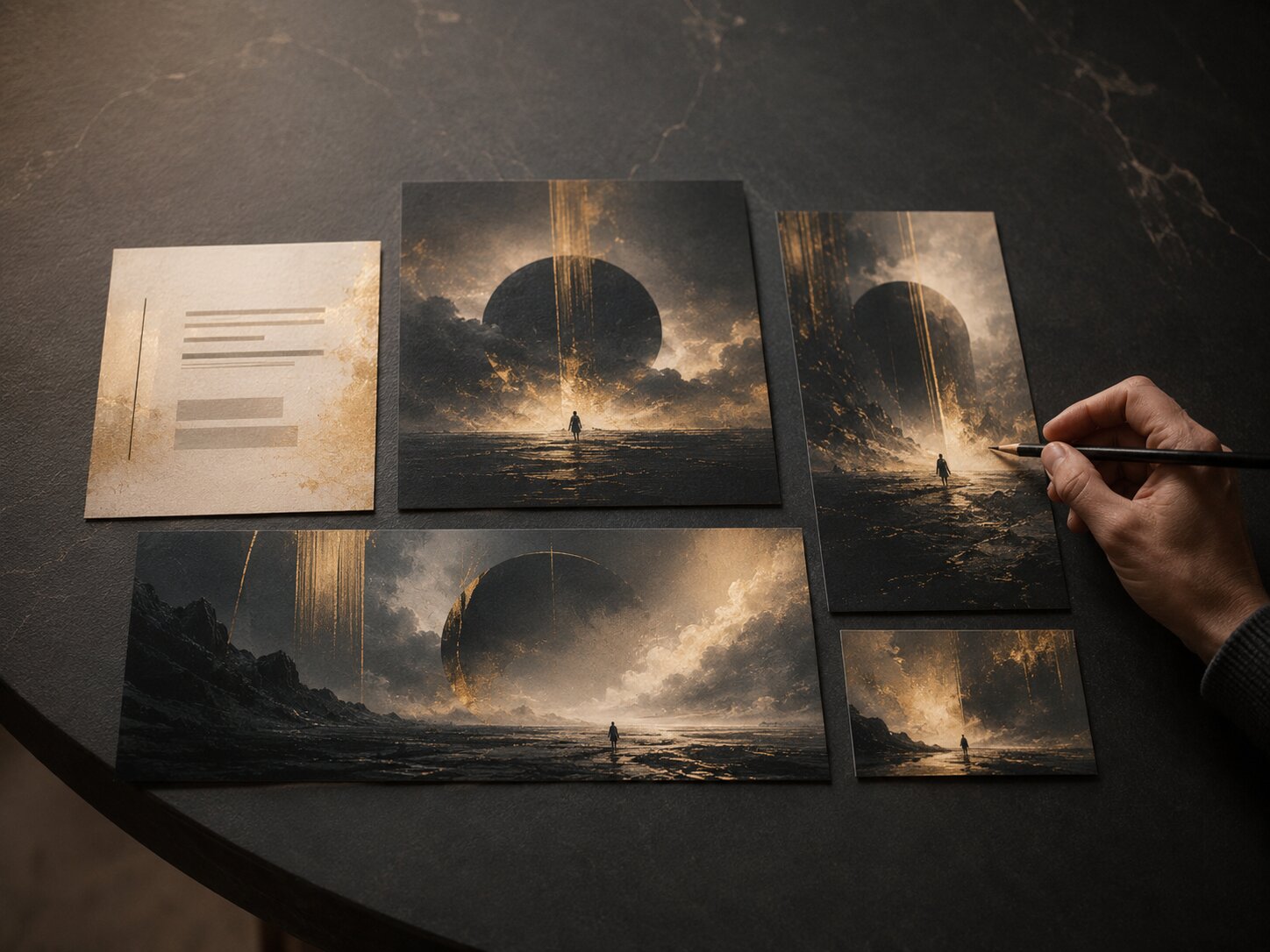
References
| Reference | Use It For | Do Not Copy |
|---|---|---|
| Reference 1 | Lighting / mood / texture | Exact composition |
| Reference 2 | Palette / atmosphere | Subject matter |
| Reference 3 | Crop / hierarchy | Branding or logo |
Constraints
- Must include:
- Must avoid:
- No readable text?
- No logos?
- Rights or likeness concerns:
- Accessibility considerations:
- Platform-specific rules:
Output Requests
- Generate:
- Number of variations:
- Aspect ratios:
- Asset family:
- Review criteria:
Example Context Pack
Project: Visual system for a dark ambient single release.
Purpose: Generate a cohesive set of release visuals: square artwork, vertical teaser, and wide banner.
Core idea: A private memory preserved inside a cold physical object.
Mood: Quiet, intimate, tense, elegant, slightly damaged.
Visual language: Premium dark studio, matte surfaces, soft directional light, abstract central object, muted silver and deep blue palette, restrained editorial realism.
References: Use film stills for low-key lighting, sculpture references for material texture, and album artwork references for sparse composition. Do not imitate any specific artist.
Constraints: No readable text, no logos, no screens, no faces, no cyberpunk neon, no random AI glow, no clutter.
Success criteria: The output should feel like a release world, not a single decorative image. It must adapt cleanly into square, vertical, and wide formats.
Review the Output Against the Pack
A context pack is not finished when generation begins. It becomes most useful during review.
Instead of asking, “Do I like this?” ask:
- Does this match the core idea?
- Is the mood accurate?
- Is the focal point clear?
- Does the visual language match the references?
- Did the model ignore any constraints?
- Could this become multiple assets?
- Is anything too generic?
- Are there rights, likeness, or platform issues?
- Does it need editing before publishing?
This is where creators should slow down. AI makes it easy to generate more, but more is not always better. Often, the stronger move is to select one promising direction, refine it, and build a system around it.
Canva’s Brand Kit guidance is useful here because it frames brand assets such as colors, fonts, logos, imagery, graphics, and templates as elements that help maintain consistency across touchpoints. A context pack can play a similar role for AI-assisted creative work: it keeps the project aligned even as you generate new variations.
Pro Tip:
Create a “keeper notes” section after each generation session. Write down what worked, what failed, and which phrases produced the strongest alignment. Over time, this becomes a living creative system for your brand, release cycle, or campaign style.
How Orias AI Fits Into This Workflow
Orias AI is built for creators who do not want AI to replace their taste, but to help organize and expand it.
A context pack fits naturally into that process. You can begin with rough ideas, moods, references, story fragments, release concepts, or campaign goals, then turn them into clearer visual worlds and publish-ready creative directions. For musicians, that might mean shaping a release identity before producing cover art and promo assets. For digital creators, it might mean building a consistent visual system for social content. For creative teams, it can help align campaign assets before production pressure hits.
The main advantage is not simply speed. It is creative clarity. When your inputs are structured, your outputs are easier to judge, refine, repurpose, and publish.
Frequently Asked Questions
What is an AI context pack?
An AI context pack is a structured set of creative inputs prepared before generation. It usually includes the project goal, concept, mood, audience, visual direction, references, constraints, format needs, and review criteria.
Is a context pack different from a prompt?
Yes. A prompt is usually the direct instruction sent to the AI. A context pack is the broader creative brief behind that prompt. It can be reused across multiple prompts, assets, formats, and campaign stages.
Do context packs make AI outputs more consistent?
They can improve consistency because they reduce ambiguity. The AI has clearer instructions about mood, composition, style boundaries, references, and exclusions. Human review is still needed to select and refine the best results.
What should musicians include in a context pack?
Musicians should include the release mood, lyrical or conceptual themes, genre context, audience, cover art direction, motion ideas, social formats, Spotify Canvas considerations, and any visual elements that should stay consistent across the campaign.
Should I include references in an AI context pack?
Yes, but explain what each reference is for. Identify whether it contributes lighting, texture, palette, mood, composition, pacing, or format logic. Avoid asking AI to copy a specific artist’s style.
How long should a context pack be?
It should be as short as possible while still removing ambiguity. A compact one-page context pack is often enough for a single asset. A larger campaign may need a more detailed version with format rules, reference notes, and review criteria.
Can beginners use context packs?
Yes. Beginners may benefit the most because context packs provide structure. Instead of guessing how to prompt, they can define the idea, mood, visual rules, and output needs step by step before generating.