By Orias AI
AI Content Operations: Building a Small-Team Workflow for Faster Creative Output
Build a small-team AI content workflow that turns ideas, references and campaign needs into faster, cleaner creative output without losing taste.
TL;DR:
- AI content operations are not about making more random assets.
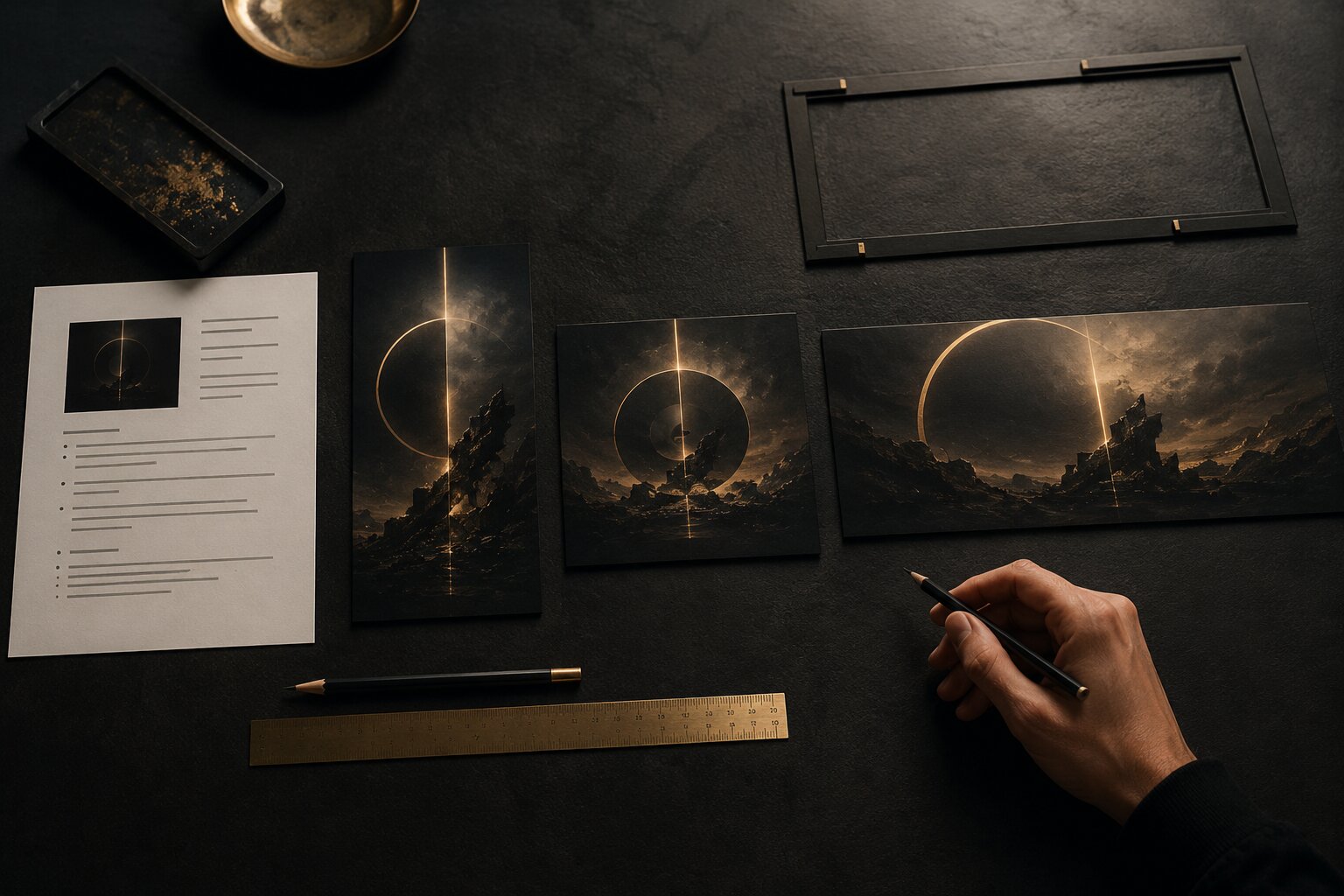
- They help a small team move from idea to brief, from brief to visual direction, from visual direction to assets, and from assets to publishing.
- The biggest practical takeaway: build a repeatable system before you speed things up, otherwise AI just helps you create chaos faster.
Most small creative teams don’t have an “ideas” problem.
They have a handoff problem. A review problem. A “where is the latest version?” problem. A “why does this teaser look nothing like the cover art?” problem. And, honestly, a “we’re posting tomorrow and nobody knows what we’re making yet” problem.
AI can help, but only when it has something solid to work from. A vague prompt can create a nice-looking image, caption, or concept. But a small-team workflow needs more than a nice one-off. It needs a way to turn rough ideas, references, release dates, campaign themes, and platform needs into a steady stream of usable creative output.
That matters even more now because platforms keep asking for different kinds of content. Spotify for Artists gives musicians tools like Canvas, Clips, artist profile visuals, and Countdown Pages to support releases and build pre-release energy. YouTube encourages creators to plan, refine, and optimize content over time, including thumbnails and metadata. Meta highlights vertical video, safe zones, audio, and clear messages as core Reels creative essentials. So the job is not “make one asset.” The job is to make the right asset system for the moment.
This guide is about building that system without turning your creative work into a factory. It’s for artists, musicians, creators, visual storytellers, and small teams who want faster output, but still want the work to feel like theirs.
Table of Contents
- Key Takeaways
- The real bottleneck is not idea generation, it is handoff
- Build one simple content operating system
- Turn every idea into a short creative brief before generating assets
- Use AI in batches, not in random bursts
- Make review smaller, faster, and more honest
- Repurpose from one core concept without flattening the work
- Keep publishing connected to learning
- Where Orias AI fits into this workflow
- Frequently Asked Questions
- Sources Used
Key Takeaways
| Point | Details |
|---|---|
| Speed comes from structure | AI works better when your team has clear briefs, reusable references, and defined approval steps. |
| Small teams need fewer stages, not no stages | A lightweight workflow beats a messy “everyone just makes things” approach. |
| Creative direction should come before generation | Mood, audience, format, and purpose should be decided before prompting. |
| Review is part of production | AI output still needs taste checks, rights checks, resizing, copy review, and platform fit. |
| Repurposing is adaptation, not duplication | One idea can become many assets, but each format needs its own job. |
| Operations protect the artistic voice | A good system keeps the work consistent without making it sterile. |
The real bottleneck is not idea generation, it is handoff
AI makes ideation feel easy. You can generate twenty visual directions, ten captions, five campaign hooks, and a whole list of content ideas in a few minutes.
That sounds useful. And it is.
But for a small team, the dangerous part is that everything starts to feel half-started. Someone has a folder of references. Someone else has a better prompt. The designer has three versions. The artist likes the mood but not the layout. The marketer needs a vertical version. The final files are called final-final-v3-new-new.jpg.
The problem is not a lack of creative energy. It’s that nobody knows where the work is in the pipeline.
A useful AI content operations workflow gives every piece of content a visible state. Not a complicated state. Just enough to stop confusion.
For example:
| Stage | What it means |
|---|---|
| Idea | A rough concept, theme, lyric, release angle, or campaign thought |
| Brief | The idea has a purpose, audience, format, mood, and references |
| Exploration | AI is used to generate visual, copy, or concept options |
| Selection | The team chooses a direction and cuts the rest |
| Refinement | The chosen direction is edited, resized, cleaned up, and adapted |
| Approved | The asset is ready to publish or schedule |
| Reviewed | The team has looked at what worked and what should change next time |
That’s enough for most small teams.
You don’t need a giant production system. You need shared language. When someone says “this is in exploration,” everyone knows it is not ready to publish. When someone says “approved,” nobody should still be debating the mood.
The mistake to avoid is letting AI become the place where every idea lives forever. AI is great for opening options. Operations are what help you close them.
Build one simple content operating system
A small content team needs a home base.
That can be Notion, Airtable, Trello, a spreadsheet, a shared folder, or whatever your team will actually use. The tool matters less than the habit. Notion’s own content calendar guidance focuses on bringing strategy, publishing schedule, and assets into one place, which is a good principle even if you use a different tool.
Your content operating system should answer five questions quickly:
- What are we making?
- Why are we making it?
- Who owns the next step?
- What assets or references are attached?
- When does it need to be ready?
Keep it boring. Boring is good here.
A simple content card might include:
| Field | Example |
|---|---|
| Content name | “Single release teaser 01” |
| Campaign | “June EP release” |
| Format | TikTok/Reels vertical teaser |
| Goal | Introduce the mood of the release |
| Source idea | “Night drive, soft panic, city lights” |
| References | 3 images, 1 music video, cover draft |
| Needed assets | Vertical teaser, square cover crop, story background |
| Owner | Creative lead |
| Status | Refinement |
| Publish date | Friday |
This gives AI something to work with. It also gives the team something to argue with, which is useful. If the goal is “introduce the mood,” you can reject an asset that looks too promotional. If the format is “vertical teaser,” you can avoid wasting time on a wide banner first.
A tiny team still needs roles
One person can hold multiple roles, but the roles should still exist.
For a small creative team, the core roles are usually:
| Role | Responsibility |
|---|---|
| Creative owner | Decides the direction and protects taste |
| AI operator | Turns briefs into variations, prompts, drafts, and assets |
| Editor/refiner | Cleans up, adapts, crops, and prepares final files |
| Publisher | Schedules, posts, checks metadata, and confirms platform fit |
| Reviewer | Looks at performance and captures what to improve |
If you’re solo, you are all five. That’s normal. The trick is to move through the roles one at a time instead of trying to do everything at once.
Don’t prompt, judge, edit, schedule, and rethink the whole campaign in the same messy sitting. That’s how good ideas get buried under noise.

Turn every idea into a short creative brief before generating assets
The fastest way to waste time with AI is to start prompting before you know what you’re asking for.
A creative brief does not need to be formal. It just needs to be clear enough that the output has a direction.
Here’s a useful small-team brief format:
| Brief element | What to write |
|---|---|
| Core idea | What is this piece about? |
| Feeling | What should it feel like before it explains anything? |
| Audience moment | Where is the viewer when they see this? Scrolling, listening, comparing, deciding? |
| Format | Vertical short, square post, cover art, banner, thumbnail, story, release visual |
| Visual references | What should guide texture, light, color, framing, or energy? |
| Must avoid | Anything off-brand, too literal, too glossy, too dark, too generic |
| Final use | Where will this be published? |
For example, a musician planning a single release could brief an AI visual workflow like this:
A visual world for a late-night electronic single. It should feel intimate, slightly tense, and cinematic, not futuristic or neon-heavy. Main references: wet pavement, soft headlights, close framing, imperfect film texture. Needed outputs: release cover direction, Spotify Canvas idea, vertical teaser concept, Instagram story background, and a simple banner crop.
That brief is not long. But it gives the workflow a spine.
Spotify’s own artist tools show why this matters. A release might need profile visuals, a Canvas loop, Clips, Countdown Page materials, and other visual touchpoints. Those assets should feel connected, even when the formats are different.
The “must avoid” line is underrated
Most teams only describe what they want. Better teams also describe what would ruin it.
For AI workflows, this is huge. A “must avoid” line can prevent the generic look that creeps into generated content: plastic skin, fake cinematic lighting, random glowing shapes, meaningless sci-fi objects, unreadable fake text, or visuals that look polished but say nothing.
Try writing constraints like:
- No readable text inside generated visuals
- No fake logos
- No cliché AI glow
- No crowded desk scenes
- No random geometric objects
- No faces unless intentionally approved
- No visual style copied from a living artist
This does not kill creativity. It gives it edges.
Use AI in batches, not in random bursts
Random prompting feels fast, but it creates scattered output.
Batching is better.
Instead of generating one asset, reacting emotionally, changing direction, generating again, and losing the thread, batch the workflow by task.
A small team can use this rhythm:
| Batch | AI task | Human decision |
|---|---|---|
| Concept batch | Explore 5 to 10 directions from the same brief | Pick 1 or combine 2 |
| Mood batch | Generate or organize reference language | Define the visual world |
| Asset batch | Create format-specific variations | Select the strongest candidates |
| Copy batch | Draft captions, hooks, short descriptions | Rewrite in the creator’s voice |
| Adaptation batch | Turn one direction into multiple formats | Check platform fit |
| QA batch | Review consistency, missing sizes, risky claims, disclosure needs | Approve or send back |
This keeps the team from treating every AI output as a new strategy.
The point of AI is not to let every variation pull you in a different direction. The point is to explore enough options to make a better choice, faster.
A 2025 systematic review and meta-analysis on generative AI and creativity found that human and AI collaboration can support creative performance, while also noting a risk around reduced diversity of ideas in some human-AI collaborations. That’s a useful warning for creative teams: AI can help you move, but you still need human taste, outside references, and real constraints to avoid everything drifting toward the same middle.
Pro Tip:
When generating options, change one variable at a time. For example, keep the same mood and change only the composition. Or keep the same composition and change only the texture. If you change mood, lighting, subject, crop, and reference style all at once, you won’t know why one version works.
Make review smaller, faster, and more honest
Small teams often review too late.
They generate a lot, polish too much, then ask for feedback when everyone is already tired and the deadline is close. At that point, review becomes emotional. Nobody wants to restart. So the team approves something that is “fine.”
A better workflow uses smaller review points.
Review 1: Direction check
Ask:
- Does this match the brief?
- Does it feel like the artist, brand, or project?
- Is it too generic?
- Is the idea clear without explanation?
- Is there anything risky, misleading, or off-tone?
At this stage, don’t debate tiny crops or export settings. You’re choosing the world.
Review 2: Asset check
Ask:
- Does each format do its job?
- Is the vertical version actually built for vertical viewing?
- Does the thumbnail still read when small?
- Does the banner have enough negative space?
- Does the story version leave room for native stickers or captions?
Meta’s Reels guidance specifically calls out vertical video, safe zones, quality audio, and key messages as creative essentials for Reels ads. Even if you’re making organic content, the principle still helps: an asset should be designed for the place it appears, not just resized at the end.
Review 3: Publishing check
Ask:
- Is the final file named clearly?
- Is the caption approved?
- Are credits or rights notes handled?
- Does AI-generated realistic content need disclosure?
- Is the publish date correct?
- Has anyone checked the preview?
This is where many small teams rush, but it matters.
TikTok says creators need to label AI-generated content that contains realistic images, audio, or video. YouTube also requires disclosure when creators meaningfully alter or generate photorealistic content that viewers could mistake for a real person, place, scene, or event. These rules are not creative opinions. They are platform expectations, and teams using AI need to build them into the final check.
Repurpose from one core concept without flattening the work
Repurposing is where small teams can gain real speed.
But repurposing does not mean posting the same thing everywhere. It means taking one core idea and adapting it to different viewer moments.
Buffer describes repurposing as keeping the core of an idea while adapting it for other channels. That distinction matters. The core stays. The format changes.
Let’s say you have one visual concept for a new release:
A quiet, blue-toned world built around empty train platforms, blurred windows, and the feeling of leaving before sunrise.
That one concept can become:
| Asset | Job |
|---|---|
| Cover art | Establish the world |
| Spotify Canvas | Create a subtle loop that deepens the song atmosphere |
| Short-form teaser | Catch attention quickly with motion or visual tension |
| Instagram carousel | Show lyrics, references, or story behind the release |
| Story background | Give fans a shareable mood asset |
| YouTube thumbnail | Make the release visually recognizable at small size |
| Banner | Hold the campaign together across profiles or landing pages |
The mistake is making all of these identical. A Canvas loop does not need to explain the full campaign. A teaser needs a stronger opening moment. A banner may need negative space. A carousel can reveal more context.
AI can help create these adaptations quickly, but the team still needs to decide what each format is supposed to do.

A simple repurposing rule
Before adapting an asset, finish this sentence:
This version exists so the viewer can...
Examples:
- “...feel the release mood before hearing the track.”
- “...recognize the campaign when they see it again.”
- “...understand the story behind the visual world.”
- “...click through to the release.”
- “...save or share the asset.”
That one sentence prevents lazy resizing.
Keep publishing connected to learning
Fast creative output is only useful if you learn from it.
Small teams often publish, move on, and start from zero again. That makes every campaign feel like a new emergency.
A better content operations workflow includes a short review after publishing. Not a giant analytics meeting. Just a few notes.
Track things like:
| Question | Why it helps |
|---|---|
| Which asset got the clearest response? | Shows which visual idea had traction |
| Which format felt hardest to adapt? | Reveals workflow gaps |
| Which posts were easiest to publish? | Shows where templates are working |
| What felt off-brand after posting? | Improves the next brief |
| What should become reusable? | Builds the asset library |
YouTube’s creator resources encourage creators to refine and optimize content over time, including updating thumbnails and metadata to help content get discovered again. That idea is useful beyond YouTube: publishing should feed the next creative decision, not disappear into the archive.
For AI workflows, this is especially important because you are not only learning what the audience liked. You are learning what prompts worked, which references gave you better results, which constraints prevented generic output, and which review steps saved time.
That becomes your internal creative memory.
Where Orias AI fits into this workflow
Orias AI is built for the messy middle of creative production: the space between “I have a rough idea” and “I need a clear visual direction with assets I can actually use.”
In a small-team AI content operations workflow, Orias AI can help creators turn moods, references, concepts, and campaign needs into more structured creative packs. That can mean release visuals, promo asset directions, voice variants, campaign materials, social content ideas, and publish-ready visual systems.
The useful part is not just generating something nice. It is helping the team move from scattered creative input to a clearer system:
- What is the mood?
- What should stay consistent?
- What formats are needed?
- What variations make sense?
- What should be avoided?
- What can be refined into a real campaign asset?
That makes Orias AI especially useful for independent artists, musicians, visual storytellers, and small creative teams that need momentum but don’t want to lose their taste in the process.
AI should not replace the final creative call. It should give that decision a better starting point.
Frequently Asked Questions
What are AI content operations?
AI content operations are the systems, steps, roles, and review habits a team uses to create content with AI. It covers how ideas become briefs, how assets are generated, how people review them, how final files are prepared, and how published work is evaluated.
How can a small team use AI without making generic content?
Start with a clear creative direction before generating anything. Define the mood, references, format, audience moment, and “must avoid” rules. Generic content usually happens when the prompt is vague and nobody reviews the output against a real point of view.
What is the best workflow for faster creative output?
A practical workflow is: idea, brief, AI exploration, selection, refinement, approval, publishing, review. The key is not to make it complicated. The key is to make each stage visible so the team knows what is still rough and what is ready.
Should AI be used for final assets or only for ideas?
It can be used for both, depending on the project and tool. But final assets still need human review, editing, resizing, rights checks, and platform-specific adjustments. AI output should not go straight from generation to publishing without review.
How do musicians use this kind of workflow for releases?
A musician can start with the song mood, cover direction, lyrics, references, and release date. From there, the team can create a connected asset set: cover art direction, Canvas concept, short-form teasers, story backgrounds, banners, and pre-release posts.
How much structure does a solo creator need?
Less than a team, but still some. A solo creator should at least track ideas, briefs, asset status, publish dates, and reusable references. Even a simple spreadsheet can prevent lost files, repeated work, and last-minute confusion.
What is the biggest mistake in AI content production?
The biggest mistake is using AI before making creative decisions. If the mood, audience, format, and purpose are unclear, AI will produce options that look interesting but don’t help the campaign.
Sources Used
- Spotify for Artists
- YouTube for Creators and YouTube Help
- Meta Business Reels guidance
- TikTok AI-generated content guidance
- Notion content calendar guide
- Buffer content repurposing guide
- Adobe brand workflow and AI review resources
- Figma design systems resources
- Generative AI and Creativity systematic review
- Orias AI