By Orias AI
AI Pattern Generator: How to Create Seamless Patterns for Fabric, Wallpaper and Print
AI pattern generators can create motifs quickly, but seamless fabric, wallpaper, and print repeats need edge repair, inspection, and production export.
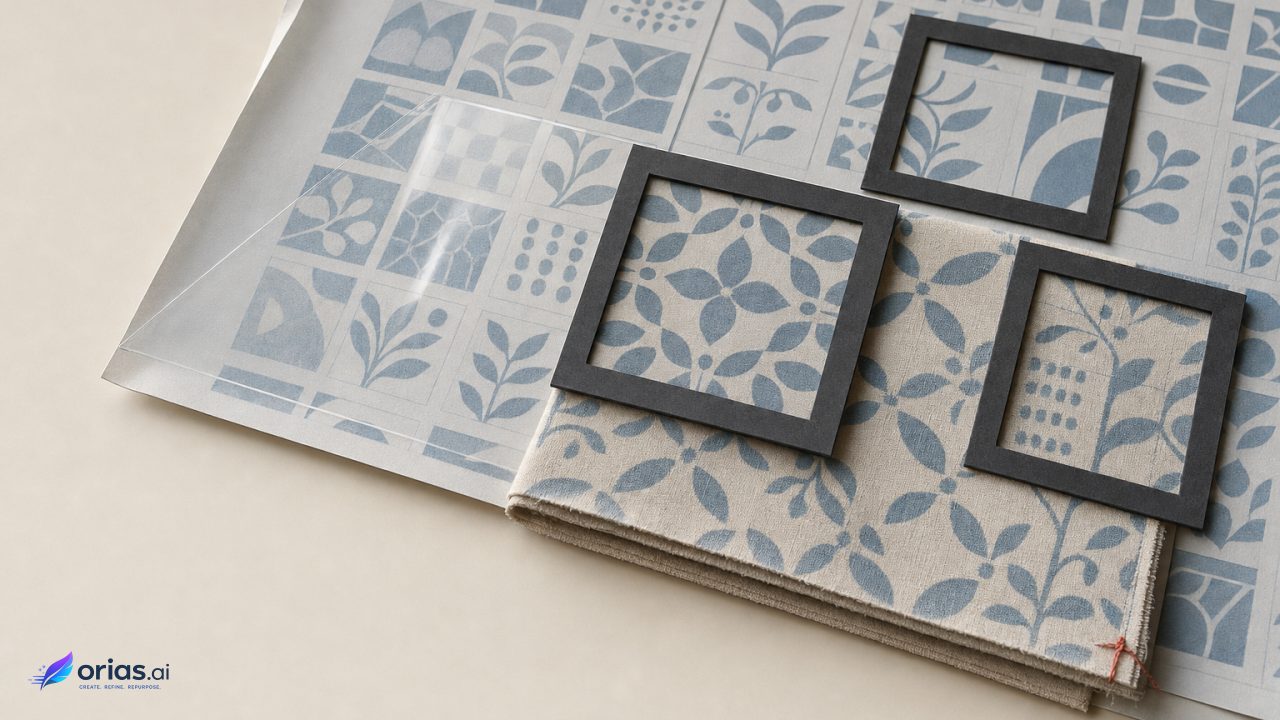
An AI pattern generator is useful when it produces—or helps construct—a repeat tile: one image whose left and right edges connect continuously, and whose top and bottom edges do the same. Repeat that tile across fabric, wallpaper, packaging, or a printed surface and it should read as one uninterrupted design rather than a grid of separate pictures. That is a different requirement from making an attractive single AI image. Research on tileable diffusion describes edge continuity as a specific generation constraint, not an automatic property of a plausible-looking image.
What Makes an AI Pattern Seamless
A pattern tile has four working edges. Content leaving the right edge must continue from the left; content leaving the bottom must continue at the top. This applies to obvious objects, such as the stem of a flower or the stripe on a shell, and to quieter information: grain direction, shadow, spacing, color transitions, and background texture.
The most common misconception is that a dense or all-over AI image is therefore tileable. Dense imagery can hide a join at first glance, but a repeated layout exposes mismatched contours, abruptly cut motifs, or a change in texture rhythm. Research on structured pattern expansion identifies left-right and top-bottom continuity as a technical challenge for generative models, even when the single generated frame looks convincing.
Seamlessness is necessary, but it is not the whole review. A tile can technically join while still creating a conspicuous checkerboard, a repeated cluster that becomes impossible to unsee, or objects that stop making visual sense at the boundary. In practical terms, judge a repeat on three levels: edge continuity, the rhythm created by many copies, and the internal coherence of the imagery.
Choose the Motif and Repeat Structure Before Generating
Start with the intended surface, visual distance, and repeat behavior—not with a broad prompt. A small, tightly packed botanical may suit a fabric where the pattern is read close up. A wallpaper design may need larger, more widely spaced elements so that the room does not feel busy. Decide whether the result should be a regular structure, an irregular texture, or a recognisable motif scattered through a ground.
That decision also affects the source strategy. Prompt-led generation is useful when the team needs new imagery and can accept exploration. An image sample is more appropriate when a known texture, material character, or visual family must inform the result. In texture-synthesis literature, traditional approaches are commonly described as procedural, exemplar-based, or model-based. The survey of exemplar-based synthesis methods defines exemplar-based work as generating a new texture from an input sample; it also notes that non-parametric methods tend to perform better for regular structured textures, while parametric or stochastic methods can be more efficient for irregular textures.
For a creative team, the useful translation is simple. If the design depends on a strict lattice, alternating rows, or a particular motif relationship, establish that structure deliberately and inspect it closely. If the brief calls for an irregular surface—clouded pigment, stone-like variation, or a loose organic ground—variation may be an asset, but it still has to cross the tile edges convincingly.
- Define the hero motif and the secondary texture separately. A busy background should not be asked to solve the role of the main object.
- Set an approximate motif scale before generation: tiny, medium, or oversized relative to the intended surface.
- Specify what must remain consistent across the series, such as palette, line weight, density, or material feel.
- Keep a controlled source image or sketch when the project needs a repeatable visual direction rather than open-ended variation.
Generate the Motif, Then Build a Repeatable Tile
Treat motif generation and tile construction as separate handoffs. First make or select the visual material: a generated floral element, drawn mark, texture sample, or composite. Then turn that material into a bounded tile with explicit repeat constraints. This separation makes review clearer: the art director can approve the visual language before the production-minded work of edge continuity begins.
Pattern-making tools can help with the second task. Adobe Photoshop’s Pattern Maker documentation describes a process that analyzes, slices, and reassembles portions of an image to create a repeating tile. Its controls include tile dimensions, smoothness, sample detail, boundary viewing, variation generation, and saving an individual seamless tile as a reusable pattern preset.
Use those controls as design levers rather than as a one-click finish. Tile dimensions affect how often a motif recurs. Sample detail influences how much local information is carried into the result. Smoothness may help reconcile the assembled image, while boundary viewing provides a direct way to examine the area that must survive repetition. Generate variants when the first layout creates an obvious clump, an empty patch, or a visually dominant feature too close to an edge.
A practical tile sequence
- Create or choose a motif with the desired palette, density, and visual character.
- Set the tile dimensions for the destination workflow before making final detail decisions.
- Build a candidate tile with edge continuity in view, rather than cropping a finished illustration afterward.
- Produce a small number of variations and choose the one with the most convincing spacing and least distracting repetition.
- Save the approved tile as its own reusable asset, then move to seam repair and repeated-layout inspection.
For example, a scattered fruit pattern may look balanced in one square image because each fruit has room around it. Once repeated, a fruit cut at the right edge meets its counterpart at the left, and two nearby copies may become a larger unintended pair. The tile is the design unit; the single frame is only a preview of it.
Repair Edge Joins and Motif Artifacts
Do not expect visual generation to complete seam correction. The join is where generation artifacts become operational defects: a leaf ends without continuing, a linear texture shifts direction, a blank band appears, or an object is split in a way that makes no compositional sense when repeated. Repair work should focus on the exact region causing the break, while preserving the rest of the tile that has already been approved.
AI-assisted regional editing is one option for that pass. Adobe says Generative Fill can alter a selected region from a text prompt, or fill it from surrounding pixels when no prompt is supplied. In a pattern workflow, that makes it suitable for extending a motif into a join, removing a local artifact, or reconciling a discontinuity after the initial tile exists.
Keep the selection narrow and review the result in the repeated layout, not only in isolation. A repair that looks natural inside one tile can introduce a new duplicate, alter the density on one side, or create a directional change that only appears after the tile is copied. When a join is structurally wrong, return to the tile construction step rather than piling corrections onto an unstable layout.
Inspect the Repeat at Fabric, Wallpaper, and Print Scale
The quality-control view is a large field of repeated tiles. Repeat the candidate across enough area to reveal rows, columns, diagonal echoes, empty channels, and accidental focal points. Inspect it both close up, where seams and artifacts are visible, and from farther away, where rhythm and repeated clustering become more apparent.
Research on tileable texture synthesis for cloth digitization distinguishes tileability, pattern continuity, and semantic consistency as separate quality concerns. That distinction is useful in review. A team can mark an image as technically joined while asking a separate question: do the depicted objects, texture, and pattern logic remain coherent as the design expands?
Repeat review checklist
- Check every horizontal and vertical join for interrupted contours, tonal jumps, or texture direction changes.
- Look for a motif, mark, or gap that appears on a predictable grid once the tile is repeated.
- Inspect at the approximate scale at which the fabric, wallpaper, or printed item will be seen.
- Confirm that the pattern still has a coherent subject and material feel across a larger field.
- Export the approved tile in the dimensions and color settings required by the destination workflow.
The export step remains a production decision, not an AI decision. A seamless tile may be visually sound yet fail a handoff if its dimensions or color settings do not match the fabric, wallpaper, or print workflow. Keep the source tile, the repeated inspection view, and the final export clearly named so that an approved pattern is not confused with an exploratory variation.
Frequently Asked Questions
Is any AI-generated image a seamless pattern?
No. A standalone image can be visually successful while its opposing edges do not connect. Test it as a repeated field before calling it a seamless pattern.
How do I test whether a tile works?
Place copies in a grid across a larger canvas. Review the joins at close range, then step back to identify repeated clusters, gaps, and unintended stripes.
Can a small tile cover a large surface?
Yes, provided its edges join continuously and its repeated rhythm holds up across the intended area. Small tiles make repetition more frequent, so obvious motifs and artifacts may become more noticeable.
When should I use an image sample instead of prompting from scratch?
The choice depends on the project’s aim: a sample helps retain a particular texture or established visual character, while prompt-led generation is better for exploring new motif directions. Repeat validation is still required afterward.
Why do production settings still matter after the pattern is seamless?
Seamlessness addresses how the image repeats. The tile must also be exported in the dimensions and color settings required by the destination fabric, wallpaper, or print workflow.