By Orias AI
Press Kit Visuals: Preparing Launch Images for Media, Partners and Affiliates
Build a practical visual press kit with launch images, logos, portraits, product shots, file variants, credits and partner-ready assets people can actually use.
TL;DR:
- A useful press kit is not a folder of your favorite launch images. Every asset should solve a clear publishing need for media, partners, or affiliates.
- Prepare a small set of flexible hero images, clean product or project visuals, portraits, supporting images, and logo files in practical formats and compositions.
- Include clear filenames, credits, rights information, and enough crop flexibility that someone can use the assets without emailing you for another version.
The launch is almost ready.
The hero image is approved.
The product looks good.
The team likes the campaign.
Somewhere along the way, though, the asset folder has turned into a small graveyard of files called hero-final-2.jpg, press-new-final.jpg, and launch-final-real.jpg.
Then the first journalist gets in touch.
Is there a version without text?
Do you have a horizontal crop?
Who should we credit for the photograph?
Can a partner use this image in its newsletter?
Is there a transparent logo?
This is usually the moment when you discover whether the visual side of the press kit is actually finished.
A press kit does not only need to look polished.
It needs to work when somebody opens it without you there to explain anything.
For a musician, that might mean cover artwork, portraits, campaign imagery, and release visuals. For a product launch, it might mean product shots, interface images, founder portraits, logos, and contextual photography. For an independent creator, it could be a smaller mix of portraits, finished work, process images, and one strong launch visual.
The exact files change.
The principle does not.
The person on the other side should be able to find the right image, understand what it is, know whether they can use it, and move on with their work.
Table of Contents
- Key Takeaways
- Do Not Build a Press Kit From Random Beautiful Images
- Build One Visual System for Three Different Users
- Plan the Asset Matrix Before Production Starts
- Export Files So Nobody Needs to Ask What to Use
- Rights, Credits, and Metadata Are Part of the Asset
- Use AI for Variation, Not for Unreviewed Final Output
- Run the Five-Minute Handoff Test
- Using Orias AI to Build a Coherent Launch Pack
- Frequently Asked Questions
- Sources Used
Key Takeaways
| Point | Details |
|---|---|
| Build a working set, not a gallery | Every image should have a clear job, such as hero image, product shot, portrait, logo, or supporting editorial visual. |
| Plan for different compositions | A single vertical image rarely works equally well for an article, partner newsletter, social post, and affiliate page. |
| Leave room for other people's layouts | Clean images with usable negative space are easier to crop, resize, and place in editorial designs. |
| Make file choices obvious | Descriptive filenames and sensible export formats reduce unnecessary back-and-forth. |
| Include rights and credit information | The recipient should not need to guess who created an image or what attribution is required. |
| Review AI output like any other production asset | AI can accelerate visual exploration, but final assets still need checks for accuracy, consistency, rights, and brand fit. |
Do Not Build a Press Kit From Random Beautiful Images
One of the easiest mistakes happens before anybody exports a file.
A team creates a visual campaign, picks ten favorite images, drops them into a folder called Press Kit, and assumes the job is done.
The folder may look impressive.
It may still be awkward to use.
A journalist rarely needs ten versions of roughly the same mood.
They need images that solve different editorial problems.
Give Every Image a Role
A strong launch pack usually has some kind of visual hierarchy.
The hero image carries the main story. It should still make sense when someone sees it without reading the entire press release first.
The clean product or project image shows the thing itself without an elaborate composition getting in the way.
The contextual image shows the product, release, artwork, or creator in a setting that adds meaning.
The people image becomes important when the story involves a founder, musician, designer, artist, or creative team.
Supporting details give editors more material when the story is longer than a short announcement.
Only after those needs are covered do extra alternatives become particularly useful.
Ask of every asset: if this file disappeared, would we lose a meaningful publishing option?
If the answer is no, the image may belong in an archive rather than the main media folder.
Build One Visual System for Three Different Users
Media, partners, and affiliates can all use the same launch campaign.
They do not necessarily use it in the same way.
A journalist usually wants an image that fits naturally into an article and does not make the publication look like an advertisement.
A partner may need something they can place in a newsletter, marketplace page, launch post, presentation, or co-marketing campaign.
An affiliate often benefits from clear product imagery that can sit beside a recommendation, review, comparison, or call to action.
| Audience | Particularly Useful | Often Difficult to Use |
|---|---|---|
| Media | Clean hero images, portraits, product shots, contextual photography | Large promotional slogans baked into every image |
| Partners | Flexible compositions, logos, clean backgrounds, adaptable campaign assets | Rigid layouts designed for only one placement |
| Affiliates | Clear product visuals, contextual images, recognizable feature or outcome shots | Abstract campaign imagery that never clearly shows the offer |
You usually do not need three completely separate campaigns.
You need one campaign with enough flexibility to survive different contexts.
Shoot or Generate a Little Wider Than You Think You Need
One useful habit is to give important subjects room to breathe.
Do not place the face, product, key visual detail, and logo directly against every edge of the frame.
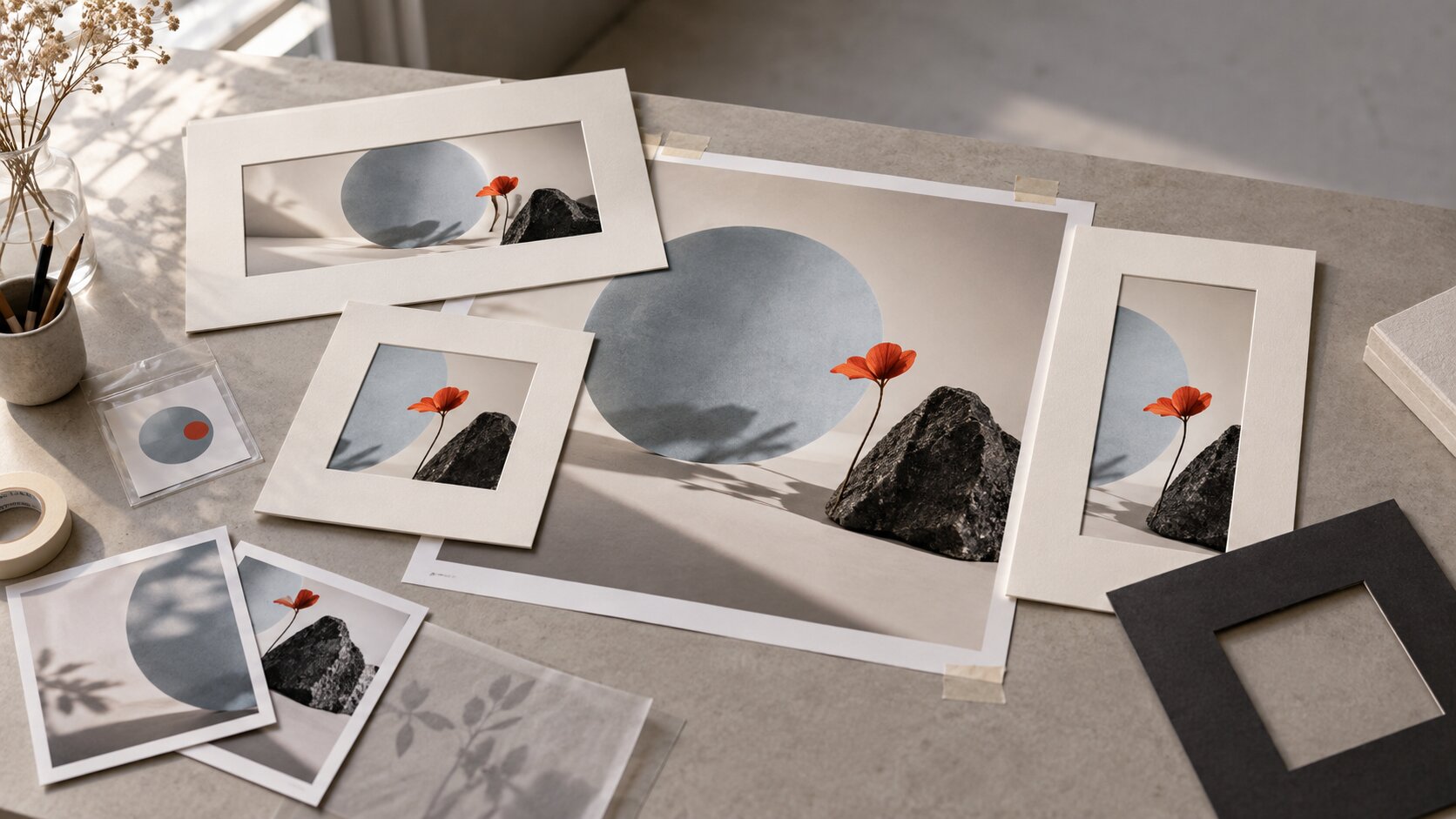
A publication may need a wide crop.
A partner may need a square.
An affiliate page may reduce the image to a small thumbnail.
Extra space around the core subject gives all of those people more freedom without forcing you to produce another shoot or generation later.
Plan the Asset Matrix Before Production Starts
The worst time to realize you need a landscape image is after you have created twenty polished vertical ones.
A lightweight asset matrix prevents that.
It does not need to become a giant production spreadsheet.
You simply decide what each asset needs to accomplish and which basic variations are likely to matter.
| Asset | Main Job | Useful Variants |
|---|---|---|
| Launch hero | Carry the main launch story | Landscape, square |
| Clean product or project image | Show the core subject clearly | Landscape, portrait |
| Creator or founder portrait | Give the story a person | Horizontal, vertical |
| Context image | Show atmosphere, use, or scale | Wide, vertical |
| Logo | Give publishers clean brand identification | Light, dark, transparent, vector when appropriate |
| Supporting detail | Give longer stories more visual material | Two or three genuinely different images |
The matrix should change with the launch.
A musician might replace the clean product shot with artwork, a press portrait, and campaign frames from the release world.
A software company may need screenshots of key product states.
An independent artist may need a portrait, several finished works, one studio image, and a strong editorial hero.
Pro Tip: Define the role of each image before choosing the mood, prompt, camera angle, set, lighting, or location.
That small change turns visual production from "make more good images" into a much clearer creative problem.

Export Files So Nobody Needs to Ask What to Use
A journalist should not need Photoshop just to find a usable photograph.
Keep editable masters in your production archive.
Put clean, ready-to-use exports in the public press folder.
Adobe documents JPEG as a common format for photographic and continuous-tone imagery, while PNG supports transparency and lossless compression. Layered formats such as PSD remain useful as editable working files.
In practice, a straightforward press kit may use high-quality JPEG files for photographs, PNG for transparent logo assets, and vector logo files where they are genuinely helpful.
You do not need eight compression levels of the same photograph.
You do need files whose purpose is obvious.
Name Files Like Someone Else Needs to Understand Them
DSC_4821-final.jpg tells the recipient almost nothing.
orias-launch-hero-landscape.jpg is much harder to misunderstand.
Descriptive filenames are also useful when press assets live on a public website. Google Search documentation recommends short, descriptive image filenames instead of generic names because filenames can provide useful context about an image.
Keep the naming pattern boring.
Boring is good here.
Brand or project, subject, orientation, and perhaps version are usually enough.
Rights, Credits, and Metadata Are Part of the Asset
There is an especially frustrating version of a good press kit.
The images are excellent.
Nobody knows whether they are allowed to use them.
Do not leave that question for later.
Alongside important images, provide the information a publisher is likely to need.
- A short description or caption
- Creator or photographer name
- Required credit line
- Copyright owner where relevant
- Usage limitations if there are any
- A contact for rights questions
The International Press Telecommunications Council maintains widely used photo metadata standards with fields for information such as description, creator, copyright notice, copyright owner, and credit line.
This matters because credits do not always have to live only in a separate document.
Useful metadata can travel with the image file itself.
That becomes valuable once a press image leaves your original folder and starts moving through content management systems, editorial inboxes, partner drives, and internal asset libraries.
Google Images can also use embedded IPTC metadata and structured data for creator, credit, and licensing information.
You do not have to turn a small press kit into a metadata engineering project.
Just make sure critical information does not depend on someone remembering the details from an email sent two weeks earlier.
Use AI for Variation, Not for Unreviewed Final Output
AI becomes particularly useful before the final production set is locked.
Suppose you already have a strong launch concept.
You can explore a wider composition.
A more editorial interpretation.
A cleaner product-focused variation.
A version with more negative space.
A vertical interpretation that still feels like the same campaign.
This is much more useful than repeatedly asking a model to "make another version."
The creative direction stays fixed while the composition changes to solve real distribution needs.
Then the ordinary editorial work begins.
Review the Details Before Anything Leaves the Team
Check faces, hands, text, reflections, interfaces, product details, backgrounds, shadows, and anything else that can look plausible at first glance while still being wrong.
If the asset represents a real product, make sure the generated visual has not invented a feature, button, shape, label, or interface state that does not exist.
Review the terms and rights associated with the tools, reference assets, and source material involved in your particular workflow.
AI is very good at expanding the option space.
It does not remove the need for somebody to decide which assets accurately represent the launch and are actually ready to publish.
Run the Five-Minute Handoff Test
Before the press kit goes live, stop looking at it like the person who created it.
Pretend you are a journalist finishing an article on deadline.
Open the press page in a private browser window.
Then try to answer the following questions without asking anyone on your team.
- Can I immediately tell which image is the main launch visual?
- Can I download it without requesting access?
- Is there a practical horizontal image?
- Is there a cleaner version without heavy promotional copy?
- Can I find a usable logo for both light and dark backgrounds?
- Do the filenames explain what I am downloading?
- Do I know how the photographs should be credited?
- Is there a contact if I have a rights question?
- Can I use the files without specialist design software?
If several answers are no, the problem is probably not that you need more imagery.
The problem is packaging.
Press resources work best when they behave like self-service materials.
A simple public page with clearly labeled downloads can be more useful than an enormous presentation deck that looks impressive but hides the actual files.
A PDF can still be useful for the story, background, facts, and campaign overview.
It just should not become the only way to access the visual assets.
The best press kit is usually the one that generates the fewest avoidable follow-up questions.
Using Orias AI to Build a Coherent Launch Pack
A useful press kit rarely begins with a JPEG export.
It begins much earlier with a less precise question.
What should this launch actually look like?
You may already have references, rough ideas, product screenshots, a release mood, several visual directions, or half-finished campaign assets.
Orias AI is built around helping creators work from rough ideas, references, moods, concepts, and creative directions toward clearer visual worlds and usable creative output.
For press kit preparation, that can be useful at the exploration stage.
Start with the launch concept.
Establish the visual language.
Find the hero image.
Then develop related landscape, portrait, clean, contextual, and supporting versions without losing the identity of the original direction.
The goal is not to generate as many images as possible.
It is to move from a rough creative idea toward a compact visual system that is consistent enough to feel intentional and flexible enough to travel across media, partner, and affiliate placements.
Final selection still matters.
A press kit becomes stronger when you remove unnecessary options, not when you keep every generation.
Frequently Asked Questions
How Many Images Should a Press Kit Include?
There is no fixed number.
A smaller launch is usually better served by a handful of genuinely different, useful assets than by dozens of nearly identical images.
Start with a hero image, a clean product or project visual, a contextual image, portraits when relevant, logo files, and a few supporting assets.
Do Journalists and Affiliates Need Separate Visual Assets?
Not necessarily.
One flexible visual system can support both groups if it includes clean editorial-friendly images alongside clearer product-focused assets.
The important part is giving each person a suitable choice rather than forcing one highly specific campaign image into every context.
Should Launch Images Have Text on Them?
Some campaign assets can include typography or promotional copy.
The press kit should also include clean versions without large baked-in marketing text.
Those versions are easier for publications and partners to crop, localize, resize, and place inside their own layouts.
What File Format Should Press Photos Use?
High-quality JPEG files are practical for many photographic uses.
PNG is useful when transparency is required, particularly for certain logo assets.
Editable master files should usually remain separate from the main public download folder unless the recipient has a real reason to need them.
Should Press Images Include Photo Credits?
Yes, whenever attribution or a specific credit line is required.
Make the information easy to find and consider embedding relevant creator, credit, and copyright metadata into image files when your workflow supports it.
Can AI-Generated Images Be Used in a Press Kit?
AI can be part of a press kit workflow, particularly for visual exploration and campaign variations.
Final assets still need human review for accuracy, visual consistency, product representation, rights, and any restrictions related to the tools and source material involved.
When Should Press Kit Visuals Be Prepared?
Before launch week starts creating urgent requests.
Ideally, the required hero, horizontal, vertical, clean, portrait, logo, and contextual assets are identified during creative planning so they can be produced naturally as part of the campaign rather than patched together at the end.
Press kit visuals are not finished simply because the campaign looks good.
They are finished when somebody outside the team can actually use them.
One strong hero.
A few genuinely different supporting images.
Clean logos.
Sensible filenames.
Clear credits and rights information.
No hunt for final-final-v7.jpg.
That is the real test.
A journalist, partner, or affiliate should be able to open the kit, understand it, choose an asset, and keep moving without needing you to explain the folder.
Sources Used
- PR Newswire, Components of a Press Release
- International Press Telecommunications Council, Photo Metadata User Guide
- International Press Telecommunications Council, Photo Metadata Standard
- Google Search Central, Google Images SEO Best Practices
- Google Search Central, Image License Metadata
- Adobe Photoshop, Supported Image File Formats
- Orias AI