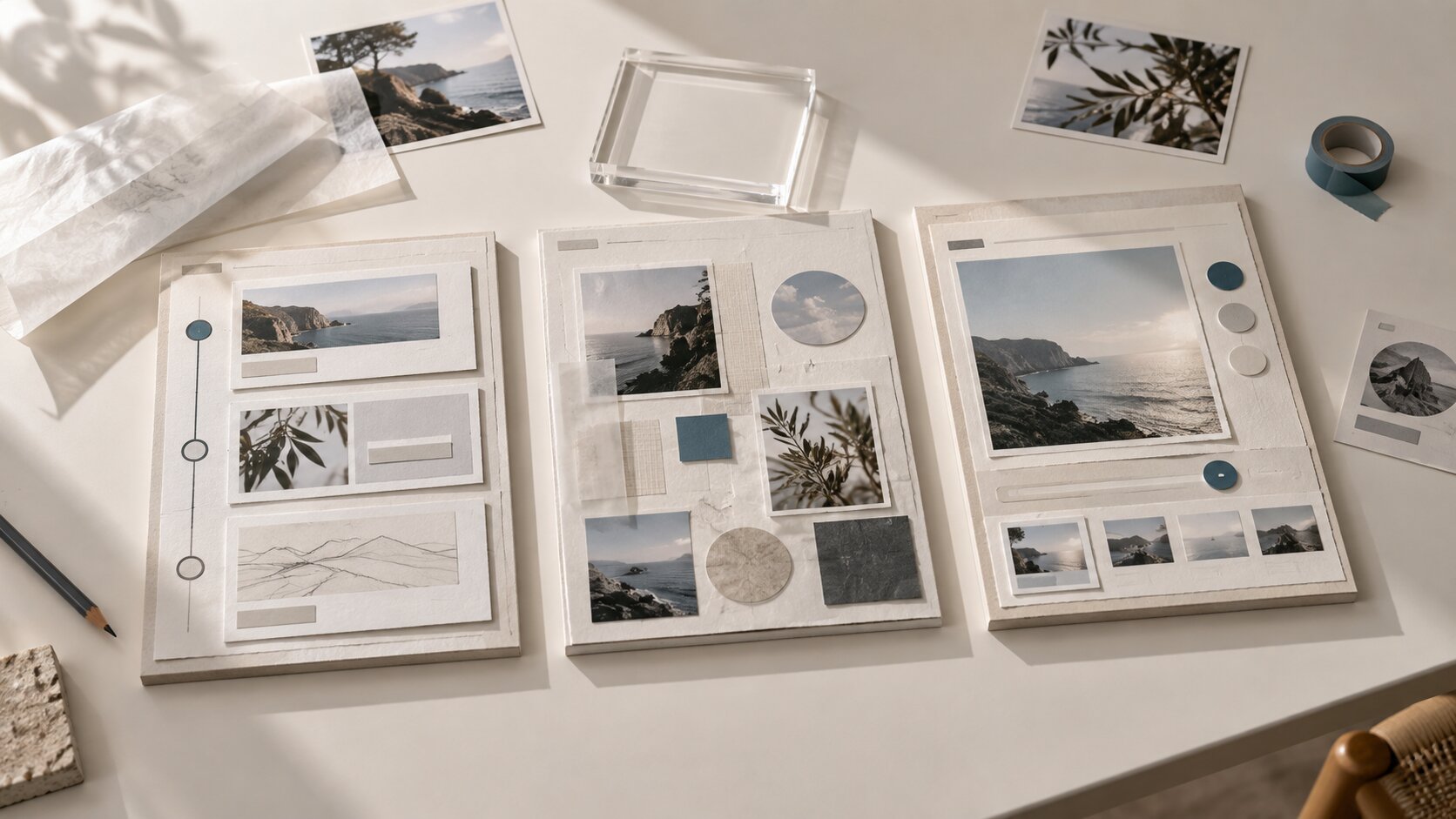
How to Create a Brand Style Guide with AI
Use AI to build a practical brand style guide for visuals, voice, assets, campaigns and creative consistency.

TL;DR:
- To create a brand style guide with AI, start with human decisions: audience, personality, values, references, and the emotional world your brand should own.
- Use AI to organize those inputs into visual rules, voice guidelines, prompt libraries, asset templates, and publishing checks.
- The strongest result is not an AI-generated brand in one click, but a usable creative system that keeps future images, captions, release visuals, and campaigns connected.
A brand style guide is what keeps your creative work from drifting. Without one, every post, cover visual, thumbnail, email, video frame, and campaign asset becomes a separate decision. That might feel flexible at first, but over time it creates a recognizable problem: your audience sees the content, but they do not immediately feel the brand.
For artists, musicians, digital creators, and visual storytellers, this matters because identity is not only a logo. It is the atmosphere around your work. It is the color of your campaign, the tension in your images, the way your captions sound, the way your release visuals relate to your profile picture, and the way a fan recognizes you before reading your name.
AI can help turn that creative mess into a system. It can analyze references, propose visual territories, generate variations, organize voice rules, and help you turn one idea into many assets. But AI should not replace taste. A useful brand guide still depends on your judgment: what feels true, what feels derivative, what fits your audience, and what should never be published.
This guide walks through a practical way to create a brand style guide with AI, from raw ideas to a working creative document you can use for social content, music releases, promo assets, visual campaigns, and collaborator handoffs.
Table of Contents
- Start with the brand decisions AI cannot make for you
- Build a reference bank before writing the guide
- Use AI to turn mood into usable creative direction
- Define the visual rules: color, type, layout, and imagery
- Document the voice so captions and prompts stay consistent
- Convert the guide into reusable asset systems
- Test the guide across platforms before publishing
- Keep the guide alive with review cycles and human curation
- How Orias AI fits into the workflow
- Frequently asked questions
Key Takeaways
| Point | Details |
|---|---|
| AI works best after you define the brand’s core | Audience, mood, values, references, and creative boundaries should come before prompting. |
| A style guide is more than a mood board | It should include visual rules, voice rules, asset examples, prompt guidance, and do/don’t examples. |
| Consistency comes from constraints | Colors, typography, image treatment, composition, tone, and layout rules reduce random creative drift. |
| AI should generate options, not final authority | Use AI for exploration and structure, then curate based on taste, originality, rights, and brand fit. |
| Platform testing is essential | A brand system should work across YouTube, TikTok, Spotify Canvas, Instagram, websites, emails, and release assets. |
| The guide should evolve | Treat the first version as a working document that improves after campaigns, releases, and audience feedback. |
Start with the brand decisions AI cannot make for you
AI can describe a brand, but it cannot know what you want your audience to feel unless you define it. Before asking any tool to create a style guide, write a short creative brief that answers five questions:
- Who is this brand for?
- What should people feel when they see it?
- What should it never feel like?
- What visual world already surrounds the work?
- What kind of content will the guide need to support?
For a musician, the answer might be: “cinematic, nocturnal, emotionally direct, minimal, intimate, not glossy pop.” For a visual creator, it might be: “surreal but warm, tactile, editorial, strange, never sterile.” For a creative studio, it might be: “precise, premium, quiet confidence, not corporate.”
This is the foundation. Adobe’s guidance on brand style guides frames them as tools for consistent brand identity across areas such as voice and typography, which is a useful reminder that a guide should define both how a brand looks and how it communicates.
A practical AI prompt for this stage
Use AI to clarify, not invent:
I am building a brand style guide for [artist/creator/project]. Based on the notes below, extract the brand personality, emotional territory, audience signals, visual direction, voice traits, and creative boundaries. Do not create final rules yet. First, organize the raw material into a clear brand brief.
Then paste your notes, references, lyrics, campaign ideas, old posts, release descriptions, or mood fragments.
Mistake to avoid
Do not start by asking AI to “make me a brand style guide” with no context. That usually produces generic sections like “use consistent colors” and “choose a logo.” You need your own creative raw material first.
Build a reference bank before writing the guide
A useful AI-assisted brand guide needs inputs. Gather references before asking AI to define rules. These can include:
- existing logos, cover art, press photos, thumbnails, posters, and social posts
- favorite images, videos, album campaigns, editorials, typography samples, and color palettes
- screenshots of content that feels wrong for the brand
- audience comments, fan descriptions, review language, or campaign notes
- platform examples such as YouTube banners, Spotify Canvas loops, vertical teasers, and carousel posts
The goal is not to copy references. The goal is to identify patterns. Maybe your strongest visuals are always low-light, textured, and close-up. Maybe your best-performing posts have direct, conversational captions. Maybe your worst assets fail because they use clean corporate layouts that do not match the emotional world of your work.
Sort references into four groups
| Reference Group | What to Include | Why It Matters |
|---|---|---|
| Core identity | Logos, colors, type, artist photos, cover art | Defines the recognizable base |
| Mood and atmosphere | Lighting, textures, settings, image styles | Helps AI understand the emotional world |
| Format examples | Reels, thumbnails, release covers, banners | Shows where the guide must be usable |
| Anti-references | Visuals, tones, layouts, phrases to avoid | Prevents generic or off-brand output |
Figma describes a brand style guide as a source of consistency for elements such as fonts, typography, logo, color palette, imagery, brand voice, tone, and writing style. That broader definition is especially useful for creators because the guide should support both design and content decisions.
Pro Tip: Include anti-references in your AI workflow. A prompt that says “make it cinematic” is vague. A prompt that says “cinematic, but not sci-fi, not neon cyberpunk, not luxury perfume advertising, not generic AI gloss” gives the system far more useful boundaries.
Use AI to turn mood into usable creative direction
Mood is emotional. A style guide has to make mood operational.
This is where AI is valuable. It can take rough language and convert it into categories your team can use: visual principles, color behavior, photography rules, prompt terms, layout preferences, copy tone, and asset examples.
For example, the mood phrase “quiet nocturnal tension” can become:
- low-key lighting
- deep blue-gray shadows
- restrained warm highlights
- minimal negative space
- close framing
- slow visual rhythm
- short captions with emotional restraint
- no exaggerated facial expressions
- no bright saturated gradients
- no chaotic collage layouts
That transformation matters because creative collaborators cannot reliably execute “make it feel like the song.” They can execute “use low contrast shadows, close framing, one central subject, no readable background text, and a restrained caption.”
AI workflow: from mood to rules
Ask AI to create three levels of guidance:
- Creative principle: the idea behind the rule
- Execution rule: what to do in assets
- Do/don’t example: what counts as on-brand or off-brand
| Creative Principle | Execution Rule | Do / Don’t |
|---|---|---|
| Intimate, not theatrical | Use close crops, soft shadows, and human-scale details | Do: hand, room, texture. Don’t: stadium lights, dramatic smoke, fake epic scale. |
| Premium but human | Keep layouts clean but not sterile | Do: tactile surfaces. Don’t: empty corporate gradients. |
| Emotional restraint | Use direct, minimal copy | Do: “new visual world for the release.” Don’t: “prepare for the most revolutionary drop ever.” |
OpenAI’s image generation documentation supports both generating images from prompts and editing existing images, which makes AI useful for exploring and refining visual directions rather than only producing one-off assets.
Define the visual rules: color, type, layout, and imagery
Once the creative direction is clear, build the visual identity section. This should be specific enough that someone can create a new asset without asking you ten questions.
Color system
Do not only list colors. Explain how they behave.
Include:
- primary colors
- secondary colors
- background colors
- accent colors
- colors to avoid
- contrast notes
- emotional meaning
- examples of use
| Color Role | Example Direction | Usage |
|---|---|---|
| Primary dark | Charcoal, deep navy, ink black | Backgrounds, campaign atmosphere, cover systems |
| Warm accent | Amber, muted gold, soft tungsten | Highlights, small details, visual warmth |
| Neutral support | Bone, stone, fog gray | Text areas, website backgrounds, press materials |
| Avoid | Neon green, hot pink, hard red | Unless used intentionally for a specific campaign shift |
Typography
Typography rules should include more than font names. Define hierarchy and feeling.
Document:
- heading font
- body font
- fallback fonts
- title casing
- letter spacing
- when to use large type
- when text should be minimal
- what kind of typography feels off-brand
For a musician, typography might need to work on cover art, lyric cards, tour posters, YouTube thumbnails, and vertical teasers. For a creator, it might need to work across carousels, newsletters, website sections, and pitch decks.
Layout and composition
This is where many brand guides become too vague. Include rules like:
- use one dominant focal point
- avoid cluttered collage unless the campaign concept requires it
- keep text away from platform crop zones
- use negative space for premium assets
- use tighter framing for intimate content
- maintain safe margins for mobile formats
Imagery
Your imagery section should define the visual world.
Include:
- photography style
- lighting
- texture
- subject framing
- backgrounds
- editing treatment
- AI image prompt vocabulary
- prohibited clichés
For AI-assisted imagery, add a prompt formula:
[Subject] + [environment] + [lighting] + [composition] + [material/texture] + [emotional tone] + [format] + [negative constraints]
Example:
A cinematic realistic portrait of an independent artist in a quiet late-night studio, soft tungsten light, deep blue-gray shadows, close composition, tactile analog textures, calm introspective mood, vertical 9:16 frame, no logos, no readable text, no futuristic AI interface, no exaggerated neon lighting.
Canva’s Brand Kit guidance emphasizes practical access to approved colors, fonts, logos, imagery, and templates inside the design workflow, which is the right mindset: the guide should not only describe the brand; it should make on-brand creation easier.
Document the voice so captions and prompts stay consistent
A brand style guide should define how the brand speaks. This is especially important when AI is used to generate captions, release descriptions, email drafts, social hooks, ad copy, or prompt language.
Voice is not the same as tone. Voice is the stable personality. Tone changes by context.
A useful voice section might include:
| Voice Trait | Meaning | Example |
|---|---|---|
| Direct | Say the thing clearly | “The new visual pack is built around the release’s darker side.” |
| Cinematic | Use image-rich language without over-writing | “A quieter frame for a heavier song.” |
| Human | Avoid corporate polish | “We kept the rough edges because they belong to the track.” |
| Restrained | Do not overhype | Avoid “game-changing,” “revolutionary,” or “next-level” unless truly appropriate. |
Create AI voice rules
Give AI examples of on-brand and off-brand writing. Then ask it to extract the rules.
Analyze these captions and descriptions. Identify the consistent voice traits, sentence rhythm, vocabulary, emotional tone, and phrases to avoid. Then create writing guidelines for future captions, release announcements, image prompts, and campaign descriptions.
Include prompt language in the guide
For AI workflows, the style guide should include approved prompt language. This helps future generations stay consistent.
Example sections:
- approved mood words
- approved camera language
- approved lighting language
- approved texture words
- banned visual clichés
- banned copy phrases
- reusable negative prompts
- platform-specific prompt modifiers
The best style guide becomes a prompt system as well as a brand document.
Convert the guide into reusable asset systems
A brand guide becomes much more useful when it turns into reusable creative packs. For Orias AI’s audience, this is where the guide connects to actual publishing.

Think in systems, not single assets.
For a music release, one brand direction might need:
- cover artwork direction
- Spotify Canvas concept
- vertical teaser frames
- square social posts
- YouTube thumbnail style
- press image treatment
- email header
- website hero
- launch-day story posts
- post-release quote cards
- behind-the-scenes content rules
For a digital creator, the system might include:
- profile image rules
- carousel templates
- short-form video cover style
- newsletter graphics
- product launch visuals
- community announcement posts
- pitch deck pages
- website section imagery
A design system is broader than a simple style guide, but Figma’s explanation is relevant here: design systems use shared building blocks and standards to keep experiences consistent at scale. For creators, even a lightweight version of that idea can prevent every campaign from starting from zero.
Asset system checklist
| Asset Type | Style Guide Rule Needed |
|---|---|
| Profile image | Crop, background, expression, color treatment |
| Cover art | Mood, typography, image treatment, spacing |
| Vertical video | Safe zones, pacing, text rules, intro frame |
| Thumbnail | Contrast, focal point, face/object usage, title style |
| Carousel | Slide hierarchy, caption length, image rhythm |
| Email header | Logo use, whitespace, type size, image tone |
| Website hero | Image ratio, headline behavior, background palette |
Mistake to avoid
Do not build a style guide that only works for static graphics. Most creators need motion, vertical video, thumbnails, banners, and campaign variations. The guide should account for how the identity behaves across formats.
Test the guide across platforms before publishing
A brand style guide is only useful if it survives real-world formats. Before finalizing it, create test assets for the platforms you actually use.
For musicians, Spotify Canvas has specific format requirements: Spotify describes Canvas as a short vertical visual loop, and its guidelines list requirements such as 3–8 seconds, a vertical 9:16 ratio, and MP4 or JPG format. The same guidelines recommend connecting Canvas identity to album art, profile images, header images, playlists, or a release narrative.
YouTube branding also requires practical asset thinking. YouTube Help identifies profile picture, channel banner, and video watermark as channel branding elements, with profile pictures shown across the channel, videos, and public actions.
TikTok requires a different creative attitude. TikTok’s business guidance recommends a DIY or not overly polished style for ad aesthetics so content fits the platform’s user-generated environment, and it encourages using trends as relevant storytelling formats.
Platform stress test
Create one rough asset for each major surface:
| Platform / Surface | Test Question |
|---|---|
| Instagram grid | Does the identity remain recognizable in a small square? |
| TikTok / Reels | Does the style work in motion and vertical framing? |
| YouTube thumbnail | Is the brand visible without becoming cluttered? |
| Spotify Canvas | Does the visual loop connect to the release world? |
| Website hero | Does the identity feel strong at a larger scale? |
| Email / newsletter | Does the brand still work with more text? |
Pro Tip: Run AI-generated assets through a crop test. Ask: “What disappears on mobile?” Many AI visuals look good full-size but fail when cropped into a thumbnail, story preview, or vertical safe area.
Keep the guide alive with review cycles and human curation
A style guide should not become a forgotten PDF. It should be a living creative tool.
Figma’s style guide advice notes that brand guides should evolve and be updated regularly as the brand and customer needs change. It also recommends real-life do/don’t examples so stakeholders can apply the identity more easily.
For AI-assisted creative work, this matters even more. AI systems can produce convincing images that still feel slightly wrong. They may follow the colors but miss the emotion. They may match the mood but add visual clichés. They may create a polished asset that weakens the brand because it looks like everyone else’s AI content.
Add a review section to your guide:
AI output review checklist
- Does this asset feel like the brand before the logo appears?
- Does it match the emotional tone of the project?
- Are the colors, lighting, and type consistent?
- Is the image too generic, glossy, or obviously AI-styled?
- Are there any rights, likeness, trademark, or platform policy concerns?
- Does the asset need editing, retouching, resizing, or typography work?
- Does it make sense for the platform where it will be published?
- Would this still feel true six months from now?
Version your guide
Use simple versioning:
- Version 1.0: core identity and first asset examples
- Version 1.1: updated prompts after first campaign
- Version 1.2: new platform templates
- Version 2.0: larger creative shift or rebrand
This keeps the guide flexible without making the brand unstable.
How Orias AI fits into the workflow
Orias AI is useful when you need to move from loose creative direction to a clearer set of brand materials. Instead of treating AI as a one-click logo or image generator, creators can use it to shape mood, references, campaign direction, visual concepts, promo assets, voice variants, and publish-ready creative packs.

For an artist, that might mean turning a release concept into cover direction, Spotify Canvas ideas, short-form visual prompts, launch captions, and post-release content variations. For a creator or small team, it might mean turning scattered references into a practical brand style guide that keeps future content consistent.
The best use of Orias AI is not to remove your taste from the process. It is to give your taste a structure: clearer prompts, better creative boundaries, stronger asset systems, and fewer disconnected one-off ideas.
Frequently Asked Questions
Can AI create a complete brand style guide?
AI can help draft and structure a brand style guide, but it should not make all final decisions. You still need to define the brand’s audience, values, taste, references, and boundaries. The best workflow is collaborative: AI organizes and expands your direction, then you curate and refine the result.
What should be included in an AI-assisted brand style guide?
Include brand story, audience, personality, voice, logo usage, color palette, typography, imagery rules, layout principles, prompt language, asset examples, platform rules, and do/don’t examples. For creators, it should also include social formats, release visuals, thumbnails, and campaign variations.
How do I stop AI-generated brand assets from looking generic?
Give AI specific creative constraints. Use reference analysis, anti-references, approved mood language, lighting rules, composition rules, and negative prompts. Then review outputs manually. Generic AI content often comes from vague prompts and weak curation, not from AI alone.
Do I need a logo before making a brand style guide?
No. A logo helps, but you can start with mood, audience, colors, typography, voice, image direction, and content rules. Many creators should build a lightweight version first, then refine the logo and identity system as the project becomes clearer.
How often should I update my brand style guide?
Review it after major campaigns, releases, product launches, or audience shifts. For active creators, a light review every few months is practical. Update the guide when you notice repeated creative decisions, recurring mistakes, or new platform needs.
Is a brand kit the same as a brand style guide?
Not exactly. A brand kit usually stores practical assets such as logos, colors, fonts, and templates. A brand style guide explains how and why to use those assets, including voice, imagery, layout, examples, and creative rules. Most creators benefit from both.
Can I use the same brand guide across every platform?
Use the same core identity, but adapt execution by platform. A YouTube banner, Spotify Canvas, TikTok video, Instagram carousel, and website hero all have different constraints. Your guide should explain what stays consistent and what changes by format.
Sources Used
- Adobe Creative Cloud: Create a Brand Style Guide for Your Business
- Figma: What Is a Style Guide and How to Create One?
- Figma: Design Systems 101
- Canva: How to Build a Brand Kit + Examples
- Spotify for Artists: Canvas Guidelines
- YouTube Help: Manage Your Channel Branding
- TikTok Business Help Center: Creative Best Practices for Performance Ads
- OpenAI API Documentation: Image Generation
- OpenAI Cookbook: GPT Image Generation Models Prompting Guide